Windows System Files Repair කරන්න SFC /scannow Run කරන්නේ කොහොමද
Corrupt system files හොයලා fix කරන්න System File Checker පාවිච්චි කරන්න, සහ ඒක fail වුණොත් කරන්නේ මොකද්ද කියලා දැනගන්න.
Overview
System File Checker (SFC) එකෙන් protected Windows system files scan කරලා corrupt ඒවා cached copy එකකින් repair කරනවා. මේ guide එකෙන් ඒක run කරන්නේ කොහොමද, results කියවන්නේ කොහොමද, සහ SFC එකම fail වෙන cases fix කරන්නේ කොහොමද කියලා පෙන්නනවා.
SFC /scannow run කරන එක.
Key Takeaways
- SFC /scannow එකෙන් corrupt protected system files repair කරනවා.
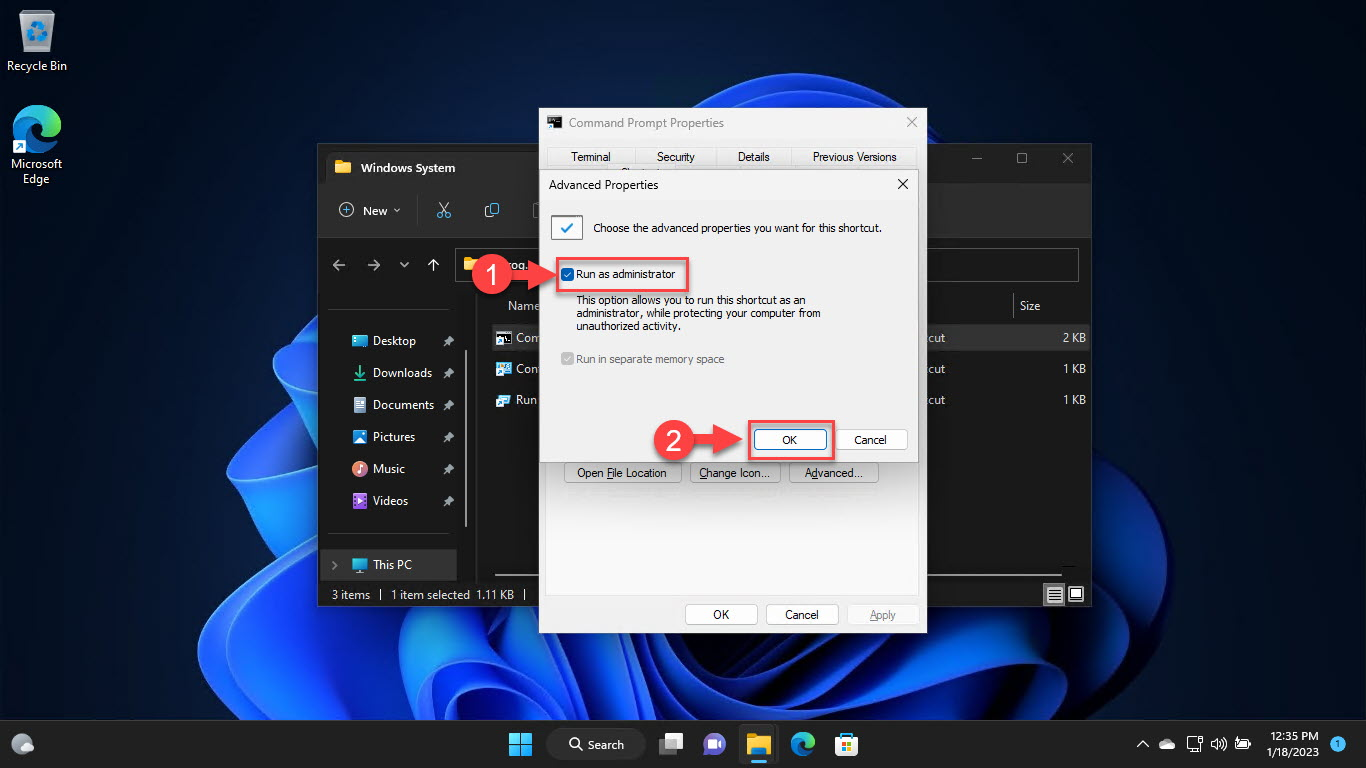
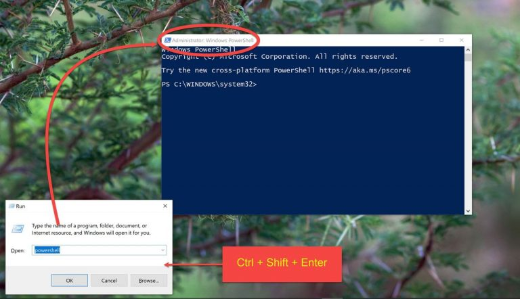
- ඒක elevated Command Prompt එකකින් run කරන්න.
- SFC එකට files fix කරන්න බැරි නම්, මුලින් DISM run කරලා, ආයෙ SFC run කරන්න.
- Windows boot නොවෙන විට Offline SFC (WinRE එකෙන්) උදව් වෙනවා.
Run a Basic SFC Scan
1. Command Prompt එක administrator විදිහට open කරන්න.
2. මේක Run කරන්න: sfc /scannow
3. ඒක 100% verification එකට එනකම් ඉන්න.
4. Result message එක කියවන්න (පහළ බලන්න).
Understanding the Results
- "Did not find any integrity violations" — files healthy ය.
- "Found corrupt files and successfully repaired them" — fix වුණා.
- "Found corrupt files but was unable to fix some" — DISM run කරලා, ආයෙ SFC run කරන්න.
- Details CBS.Log එකේ log වෙනවා.
When SFC Fails: Run DISM First
1. Elevated prompt එකක, මේක Run කරන්න: DISM /Online /Cleanup-Image /RestoreHealth
2. මේකෙන් SFC එක healthy files ගන්න component store එක repair කරනවා.
3. එතකොට ආයෙ sfc /scannow run කරන්න.
4. Restart කරලා ආයෙ check කරන්න.
Run SFC Offline (from WinRE)
1. WinRE එකට boot කරන්න > Troubleshoot > Advanced options > Command Prompt.
2. Windows drive letter එක identify කරන්න (WinRE එකේ ඒක C: එකට වඩා වෙනස් වෙන්න පුළුවන්).
3. මේක Run කරන්න: sfc /scannow /offbootdir=D:\ /offwindir=D:\Windows (letters adjust කරන්න).
4. Windows normally start නොවෙන විට මේක පාවිච්චි කරන්න.
Fix "Windows Resource Protection could not start the repair service"
1. "Windows Modules Installer" (TrustedInstaller) service එක enabled ද සහ Manual එකට set කරලද කියලා ensure කරන්න.
2. ඒක Start කරන්න: net start trustedinstaller.
3. ඒක තවම තියෙනවා නම් Safe Mode එකට reboot කරලා ආයෙ SFC run කරන්න.
Troubleshooting
Problem: SFC එකට සමහර files repair කරන්න බෑ.
Solution: Source store එක fix කරන්න DISM /RestoreHealth run කරලා, ආයෙ SFC run කරන්න.
Problem: "Repair service" එක start වෙන්නෙ නෑ.
Solution: TrustedInstaller (Windows Modules Installer) service එක enable/start කරලා ආයෙ retry කරන්න.
Problem: SFC එක percentage එකක hang වෙනවා.
Solution: ටිකක් වෙලාව දෙන්න; ඇත්තටම stuck නම්, reboot කරලා Safe Mode එකේ run කරන්න.
Problem: SFC+DISM වලට පස්සෙත් errors තියෙනවා.
Solution: chkdsk එකෙන් disk එක check කරන්න; corruption එක widespread නම් in-place repair install එකක් consider කරන්න.
Conclusion
SFC /scannow කියන්නේ corrupt Windows system files වලට first-line repair එකක්. ඒක elevated run කරන්න; ඒකට හැම දේම fix කරන්න බැරි නම්, DISM /RestoreHealth run කරලා එතකොට ආයෙ SFC run කරන්න. Unbootable PC එකකට, Recovery Environment එකෙන් SFC offline run කරන්න.