Overview
Screen resolution describes how many pixels a display shows — more pixels means a sharper image. Terms like 1080p, 4K, and 2K can be confusing. This guide breaks down what each resolution means and how they compare.
Higher resolutions pack in more pixels for a sharper image.
Key Takeaways
- Resolution is the pixel count (width × height); more pixels = sharper.
- “p” means progressive scan; “i” means interlaced.
- “K” roughly refers to the horizontal pixel count in thousands (4K ≈ 4000 pixels wide).
- Higher resolution needs more powerful hardware to drive smoothly.
What Do p, i, and K Mean?
- p (progressive) — every line is drawn each frame; smoother and now standard.
- i (interlaced) — alternate lines are drawn each frame; older broadcast standard.
- K — approximate horizontal pixels in thousands (2K ≈ 2000 wide, 4K ≈ 4000 wide).
Common Resolutions
- 480p (SD) — 640×480 or 854×480; standard definition.
- 720p (HD) — 1280×720; “HD ready”.
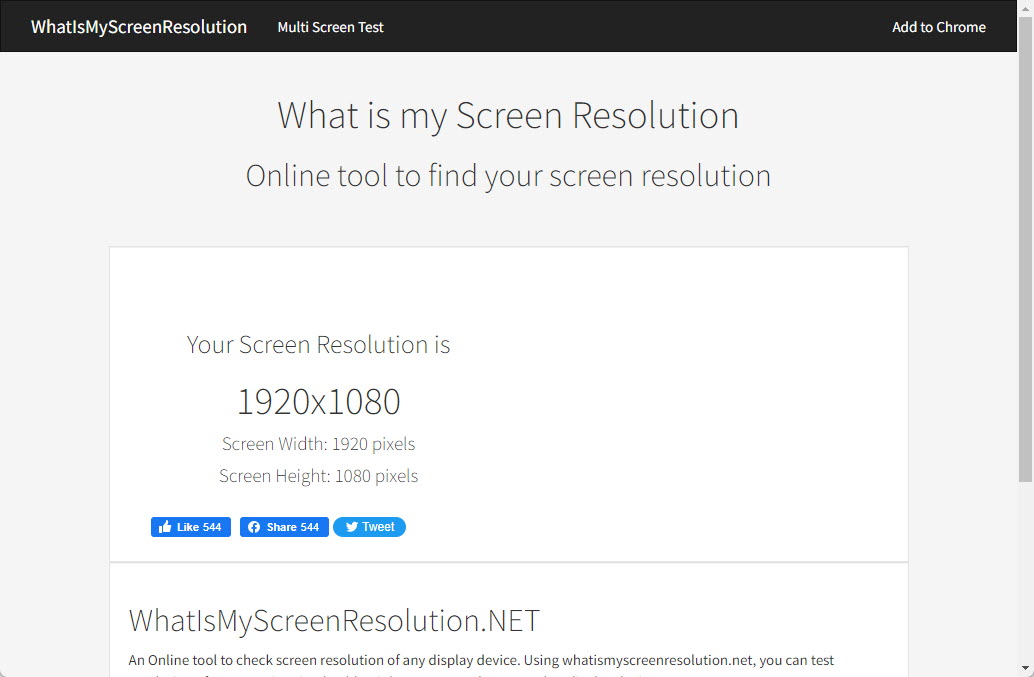
- 1080p (Full HD) — 1920×1080; the most common today.
- 1440p (QHD/2K) — 2560×1440; popular for gaming monitors.
- 4K (UHD) — 3840×2160; four times the pixels of 1080p.
- 8K (8K UHD) — 7680×4320; ultra-high detail, demanding hardware.
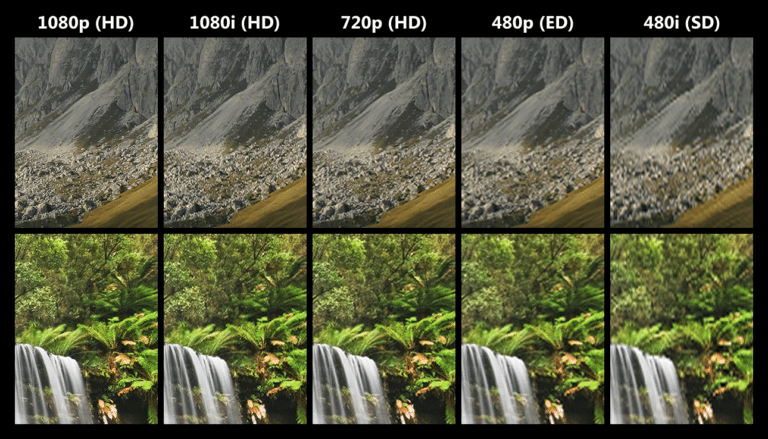
Sample resolutions and how their detail compares.
Resolution vs Display Size
The same resolution looks sharper on a smaller screen because the pixels are packed more densely (higher pixels-per-inch). That is why a 1080p phone looks crisper than a 1080p TV — the pixel density (PPI) is higher.
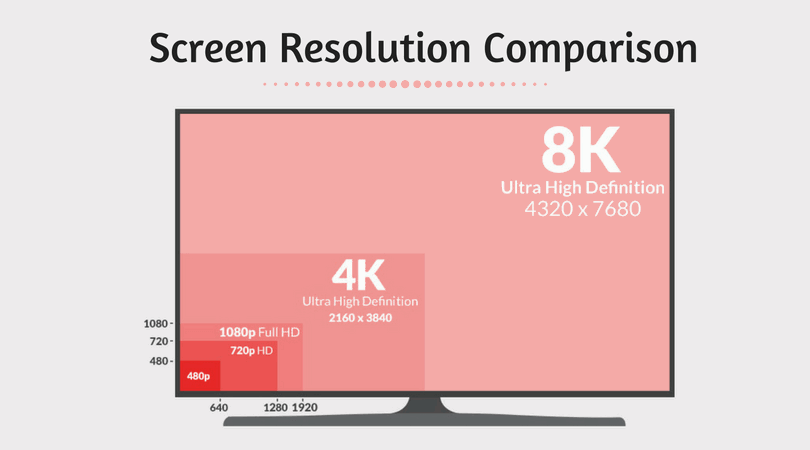
A side-by-side comparison of screen resolutions.
Aspect Ratio
- Aspect ratio is the width-to-height proportion (e.g. 16:9, 21:9).
- 16:9 is the standard for most monitors and TVs.
- 21:9 (ultrawide) and 16:10 are common for productivity and gaming.
- Mismatched aspect ratios produce black bars (letterboxing/pillarboxing).
Frequently Asked Questions
Problem: Can a 4K video play on a 1080p screen?
Solution: Yes — it is downscaled to fit the display, so you see 1080p detail, not full 4K.
Problem: Is 2K the same as 1440p?
Solution: In common usage, yes — 2560×1440 (QHD) is often marketed as 2K, though technically 2K refers to ~2000 horizontal pixels.
Problem: Do I need 4K?
Solution: 4K benefits large screens and detailed work; on small screens or at a distance the difference from 1080p is harder to see.
Problem: Why is my high-res screen demanding?
Solution: More pixels require more GPU power, especially for gaming. Match your resolution to your hardware for smooth performance.
Conclusion
Resolution is simply how many pixels your display shows: 1080p for everyday use, 1440p for sharper gaming, and 4K/8K for maximum detail. Remember that pixel density and display size matter as much as the raw numbers.
</w:pBdr><w:spacing w:before="220" w:after="40"/></w:pPr><w:r><w:rPr><w:b/><w:bCs/><w:color w:val="0B5394"/><w:sz w:val="21"/><w:szCs w:val="21"/><w:rFonts w:ascii="Calibri" w:cs="Calibri" w:eastAsia="Calibri" w:hAnsi="Calibri"/></w:rPr><w:t xml:space="preserve">About TechHub
This guide is part of the TechHub Knowledge Base. For more step-by-step IT guides and support, visit techhub.com.lk.