Overview
A2DP Sink කියන feature එකෙන් ඔබේ Windows PC එක Bluetooth audio receiver එකක් විදිහට වැඩ කරනවා. ඒ නිසා ඔබේ phone එකේ play වෙන audio එක computer එකේ speakers වලින් නිකුත් වෙනවා. ඔබේ PC එකේ speakers phone එකට වඩා හොඳ නම්, නැත්නම් phone audio එක desktop එක හරහා route කරන්න ඕන නම් මේක ගොඩක් ප්රයෝජනවත්. මේ guide එකෙන් A2DP Sink කියන්නේ මොකක්ද කියලා සහ ඒක setup කරන්නේ කොහොමද කියලා පැහැදිලි කරනවා.
Key Takeaways
- A2DP (Advanced Audio Distribution Profile) Sink එකෙන් ඔබේ PC එක Bluetooth speaker එකක් බවට පත් කරනවා.
- ඔබ phone එක Bluetooth හරහා PC එකට pair කරලා, audio එක ඒකට route කරනවා.
- Windows එකේ default විදිහට සම්පූර්ණ A2DP Sink receiver එකක් නැහැ, ඒ නිසා පොඩි helper app එකක් පාවිච්චි කරනවා.
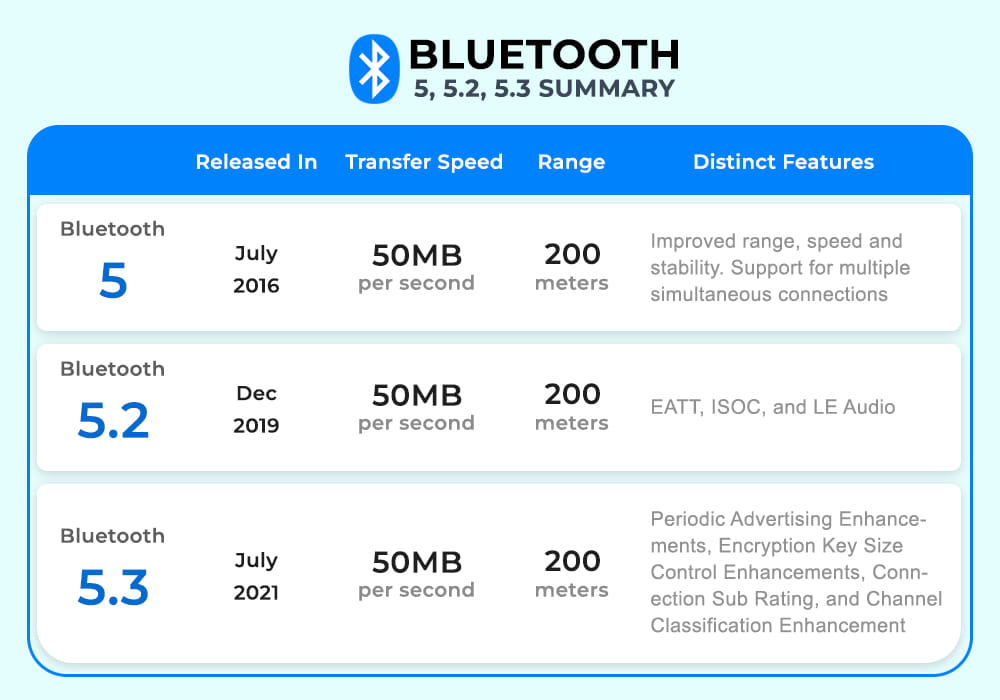
- දෙපැත්තේම devices වල audio support එක්ක වැඩ කරන Bluetooth එකක් තියෙන්න ඕන.
What Is A2DP Sink?
A2DP කියන්නේ devices අතර high-quality stereo audio stream කරන Bluetooth profile එක. "Sink" role එක කියන්නේ receiver එක — sound එක play කරන device එක. සාමාන්යයෙන් phones source විදිහටත්, headphones නැත්නම් speakers sink විදිහටත් වැඩ කරනවා. ඔබේ PC එක A2DP Sink එකක් විදිහට configure කරාම, phone එකෙන් යවන audio එක receive කරලා play කරන්න පුළුවන්.
Step 1: Pair Your Phone With the PC
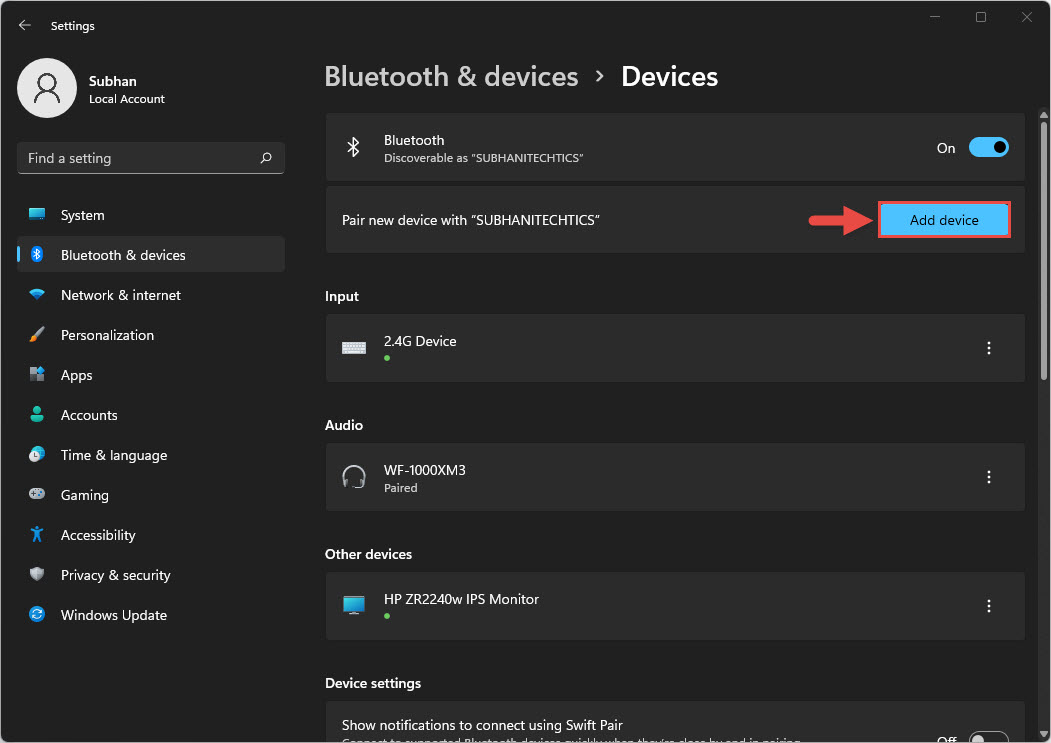
1. ඔබේ PC එකේ Settings > Bluetooth & devices open කරලා Bluetooth එක on කරන්න.
2. Add device click කරලා, Bluetooth තෝරන්න.
3. ඔබේ phone එකේ Bluetooth settings open කරලා ඒක discoverable කරන්න.
4. PC එකේ list එකෙන් ඔබේ phone එක තෝරලා, devices දෙකේම pairing code එක match වෙනවද කියලා confirm කරන්න.
5. pairing එක complete කරලා devices දෙක connect කරගන්න.
PC එකට අලුත් Bluetooth device එකක් add කරනවා.
Step 2: Install a Bluetooth Audio Receiver
Windows එකට phone එකක් සමඟ pair වෙන්න පුළුවන් වුණත්, තනියම සම්පූර්ණ audio sink එකක් විදිහට වැඩ කරන්නේ නැහැ. සැහැල්ලු Bluetooth audio receiver application එකකින් PC එකට එන stream එක receive කරලා play කරන්න පුළුවන් වෙනවා.
1. විශ්වාසවන්ත Bluetooth audio receiver application එකක් ඒකේ official source එකෙන් download කරන්න.
2. Install කරලා launch කරන්න, prompt වුණොත් Bluetooth access ලබා දෙන්න.
3. connected source device එක විදිහට ඔබ pair කරපු phone එක තෝරන්න.
4. phone එකේ audio play කරන්න — දැන් ඒක ඔබේ PC speakers වලින් එන්න ඕන.
Note: helper applications download කරන්නේ ඒවගේ official websites වලින් විතරයි. ඔබේ Bluetooth hardware එකට access කරන any third-party tool එකක් install කරන්න කලින් publisher එක verify කරන්න.
Step 3: Play and Control Audio
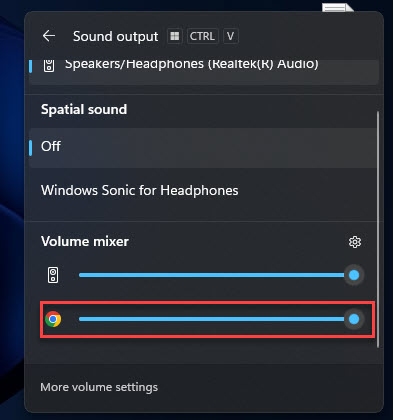
connection එක active වෙලා තියෙද්දී, phone එකේ music, video එකක්, නැත්නම් call එකක් start කරන්න. Audio එක PC එකට stream වෙලා ඒකේ speakers වලින් play වෙනවා. devices දෙකෙන් ඕනෑ එකකින් volume එක adjust කරන්න. Disconnect කරන්න phone එකේ Bluetooth එක off කරන්න නැත්නම් receiver app එක close කරන්න.
Tip: හොඳම quality එකට, phone එකයි PC එකයි මීටර් කිහිපයක් ඇතුළත තියාගන්න, සහ Bluetooth signal එක දුර්වල කරන physical obstructions වළක්වන්න.
Troubleshooting
Problem: phone එක pair වුණත් PC එකේ audio play වෙන්නේ නැහැ.
Solution: Windows එක තනියම A2DP Sink role එකට සම්පූර්ණයෙන් support කරන්නේ නැහැ. Bluetooth audio receiver app එකක් install කරලා source එක විදිහට phone එක තෝරන්න.
Problem: මගේ phone එකේ Bluetooth list එකේ PC එක පෙන්නන්නේ නැහැ.
Solution: PC එක discoverable ද, Bluetooth on ද, සහ Device Manager එකේ adapter drivers up to date ද කියලා තහවුරු කරගන්න.
Problem: Audio එක choppy නැත්නම් delay වෙනවා.
Solution: devices අතර දුර අඩු කරන්න, obstructions අයින් කරන්න, සහ bandwidth වැඩිය පාවිච්චි කරන අනිත් Bluetooth connections close කරන්න.
Problem: devices නිතරම disconnect වෙනවා.
Solution: pairing එක අයින් කරලා ආයෙත් pair කරන්න, සහ ඔබේ PC එකේ Bluetooth drivers manufacturer ගේ official site එකෙන් update කරන්න.
Conclusion
A2DP Sink එක්ක, ඔබේ Windows PC එක phone එකට පහසු Bluetooth speaker එකක් බවට පත් වෙනවා. devices දෙක pair කරලා, විශ්වාසවන්ත Bluetooth audio receiver app එකක් add කරලා, computer එකේ speakers හරහා phone audio එක භුක්ති විඳින්න පුළුවන්. drivers update කරලා තියාගෙන devices ළඟින් තියාගත්තොත් playback එක වඩාත් සුමට වෙනවා.
About TechHub
මේ guide එක TechHub Knowledge Base එකේ කොටසක්. තව step-by-step IT guides සහ support වලට techhub.com.lk එකට යන්න.