What Is Network Stack in UEFI/BIOS and Should You Enable It?
Understand the Network Stack (PXE) firmware option and when to turn it on or off.
Overview
"Network Stack" in UEFI/BIOS controls whether the firmware can use the network — primarily for PXE (network) booting. This guide explains what it does and whether you should enable or disable it.
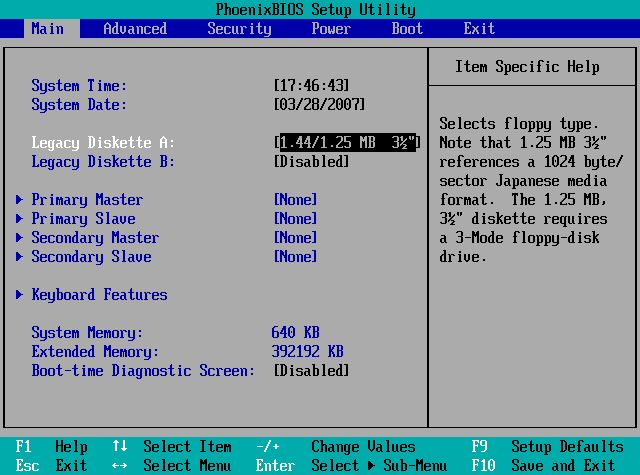
The Network Stack option in BIOS.
Key Takeaways
- Network Stack enables firmware-level networking (PXE boot).
- Needed to boot/install an OS over the network.
- Most home users can leave it disabled.
- Disabling it can slightly speed boot and reduce attack surface.
What Network Stack Does
It loads the UEFI networking components so the PC can obtain an IP and boot from a network server (PXE). This is common in enterprises for deploying operating systems to many machines.
How PXE Boot Works
- The firmware requests an IP via DHCP.
- It downloads a boot image from a PXE/TFTP server.
- The PC boots that image to install or run an OS over the network.
Should You Enable or Disable It?
- Enable: if you need PXE/network boot (IT deployment, diskless boot).
- Disable: for typical home PCs that boot from a local drive.
- Disabling can marginally speed startup and reduce network-based boot risks.
- Leave as-is if unsure and the PC boots normally.
How to Enable or Disable Network Stack
1. Restart and enter UEFI/BIOS (Del/F2/F10 during boot).
2. Find "Network Stack" (often under Boot or Advanced).
3. Set it to Enabled (for PXE) or Disabled (typical local boot).
4. Save and exit.
Troubleshooting
Problem: No PXE boot option appears.
Solution: Enable Network Stack (and PXE/IPv4-IPv6 boot) in BIOS, then add it to the boot order.
Problem: Slow boot with a network delay.
Solution: If you don’t use PXE, disable Network Stack so the firmware skips network initialization.
Problem: Can’t find the setting.
Solution: It may be under Advanced/Boot with a vendor-specific name; update the BIOS if options are limited.
Problem: Network boot fails.
Solution: Ensure the PXE server, DHCP, and cabling are correct, and that PXE is above local drives in boot order.
Conclusion
Network Stack enables firmware networking for PXE boot. Turn it on if you deploy or boot over the network; otherwise most home users can safely leave it disabled for a slightly faster, more locked-down boot.