Windows Administrative Tools (Windows Tools) කියන්නේ මොනවද, ඒවා පාවිච්චි කරන්නේ කොහොමද
Windows manage කරන්න, diagnose කරන්න, සහ maintain කරන්න තියෙන built-in advanced tools ගැන කෙටි හැඳින්වීමක්.
Overview
Windows Administrative Tools (Windows 11 වල "Windows Tools" කියලා කියනවා) කියන්නේ ඔයාගේ PC එක manage කරන්නයි troubleshoot කරන්නයි තියෙන advanced utilities folder එකක් — Event Viewer, Disk Cleanup, Computer Management වගේ දේවල්. මේ guide එකෙන් key tools ටිකයි ඒවා open කරන්නේ කොහොමද කියලයි පැහැදිලි කරන්නේ.
Windows Administrative Tools.
Key Takeaways
- "Windows Tools" එක advanced admin utilities ඔක්කොම එක තැනකට එකතු කරනවා.
- Start menu එකෙන් හෝ Control Panel එකෙන් access කරන්න.
- බොහෝ tools වලට quick Run commands ත් තියෙනවා.
- ගොඩක් ඒවාට administrator rights ඕන.
How to Open Windows Tools
1. Windows 11: Start > All apps > Windows Tools.
2. නැත්නම් Control Panel > System and Security > Windows Tools open කරන්න.
3. නැත්නම් Run dialog (Windows + R) එකෙන් tools එකින් එක කෙලින්ම run කරන්න.
Key Tools and What They Do
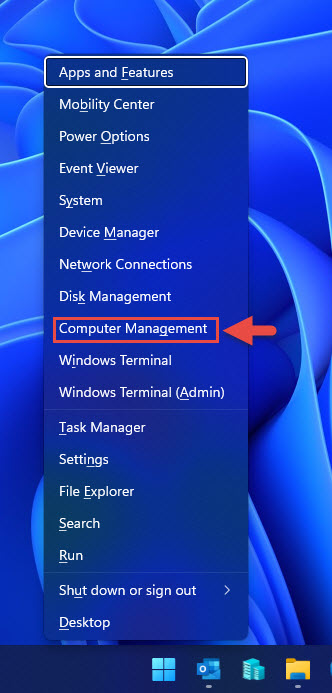
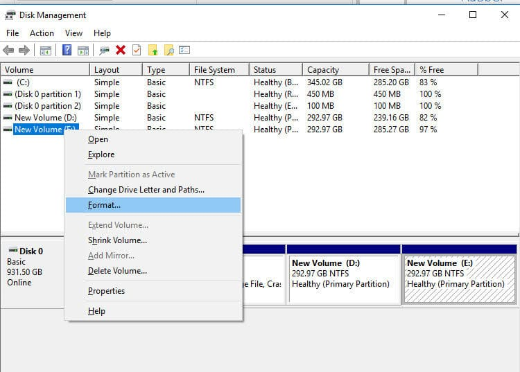
- Computer Management (compmgmt.msc) — disks, services, users, සහ Device Manager එක console එකක.
- Event Viewer (eventvwr.msc) — system, application, සහ security logs.
- Disk Cleanup (cleanmgr) — disk space free කරගන්න.
- Defragment and Optimize Drives (dfrgui) — drives optimize/trim කරන්න.
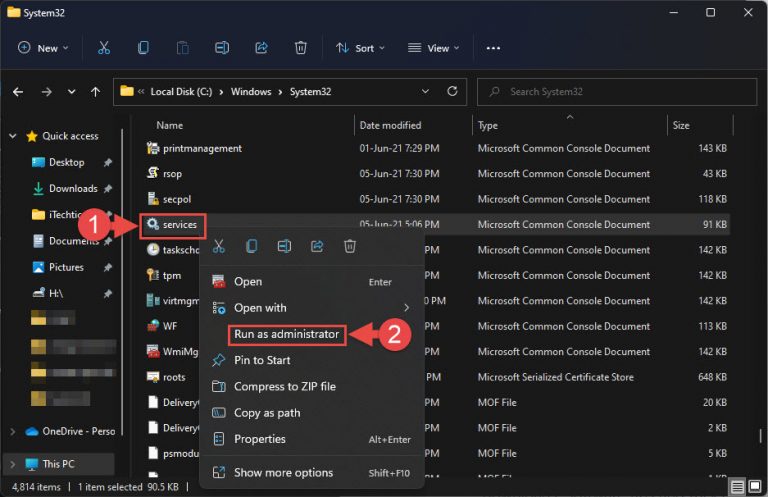
- Services (services.msc) — background services start/stop කරන්නයි configure කරන්නයි.
- Task Scheduler (taskschd.msc) — triggers මත tasks automate කරන්න.
- Registry Editor (regedit) — Windows Registry එක edit කරන්න (පරිස්සමින්).
- System Information (msinfo32) — විස්තරාත්මක hardware/software details.
Advanced/Optional Tools
- Local Security Policy (secpol.msc) — security settings (Pro+).
- Hyper-V Manager — virtual machines manage කරන්න (enable කරලා තියෙනවා නම්).
- Component Services (dcomcnfg) — COM/DCOM configuration.
- iSCSI Initiator — network storage targets වලට connect වෙන්න.
Troubleshooting
Problem: Tool එකක් open වෙන්නේ නෑ / "access denied".
Solution: Right-click කරලා Run as administrator කරන්න; බොහෝ admin tools වලට elevation ඕන.
Problem: secpol.msc හෝ Hyper-V Manager නෑ.
Solution: ඒවා Pro/Enterprise features (නැත්නම් enable කරන්න ඕන); Home වල default විදිහට සමහරක් නෑ.
Problem: Windows Tools හොයාගන්න බෑ.
Solution: Start එකේ "Windows Tools" කියලා search කරන්න, නැත්නම් Control Panel > System and Security open කරන්න.
Problem: Quick access එකක් වඩා කැමතියි.
Solution: Tools කෙලින්ම open කරන්න Run commands (උදා: eventvwr.msc, services.msc) පාවිච්චි කරන්න.
Conclusion
Windows Tools එකෙන් OS එකේ advanced utilities — Event Viewer, Computer Management, Services, Task Scheduler වගේ දේවල් — එක තැනකට ගේනවා. ඒක Start එකෙන් හෝ Control Panel එකෙන් open කරන්න, නැත්නම් ඒවගේ Run commands වලින් tools කෙලින්ම launch කරන්න, ඕන වුනොත් administrator විදිහට run කරන්න.
About TechHub
මේ guide එක TechHub Knowledge Base එකේ කොටසක්. තව step-by-step IT guides සහ support වලට techhub.com.lk එකට යන්න.