Overview
WMIC (Windows Management Instrumentation Command-line) tool එක Microsoft විසින් deprecate කරලා, අලුත් Windows versions වලින් අයින් වෙමින් තියෙනවා. හොඳ දෙයක් තමයි ඒකේ හැම දේම PowerShell එකේ Get-CimInstance (සහ CIM cmdlets) වලින් කරන්න පුළුවන් — වඩාත් powerful, future-proof. මේ guide එකෙන් common WMIC commands වලට PowerShell equivalents පෙන්නනවා.
WMIC deprecated; PowerShell CIM cmdlets තමයි modern replacement එක.
Key Takeaways
- WMIC deprecated — script වලදී Get-CimInstance එකට switch වෙන්න.
- Get-CimInstance එකෙන් ඕනෑම WMI class එකකින් (Win32_*) query කරන්න පුළුවන්.
- Output එක real objects, ඒ නිසා Select-Object / Where-Object / Format-Table වලින් filter/format කරන්න පුළුවන්.
- PowerShell එක Windows එකේ built-in, ඒ නිසා extra install එකක් ඕන නෑ.
ඇයි WMIC වෙනුවට Move වෙන්නේ?
WMIC legacy tool එකක්, plain text return කරනවා විතරයි, parse කරන්න අමාරුයි. Get-CimInstance එකෙන් structured objects return කරනවා, පස්සේ properties select කරන්න, filter කරන්න, sort කරන්න පුළුවන් — Microsoft recommend කරන්නෙත් අලුත් work වලට ඒක.
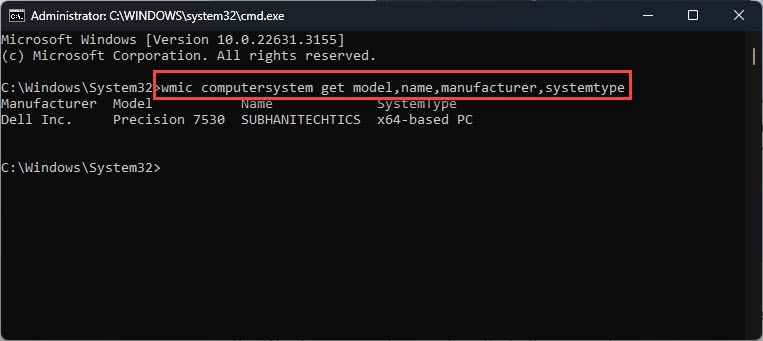
Get-CimInstance එකෙන් WMIC ට වඩා richer, structured output.
Common WMIC → PowerShell Equivalents
OS info:
- WMIC: wmic os get Caption,Version
- PowerShell: Get-CimInstance Win32_OperatingSystem | Select-Object Caption, Version
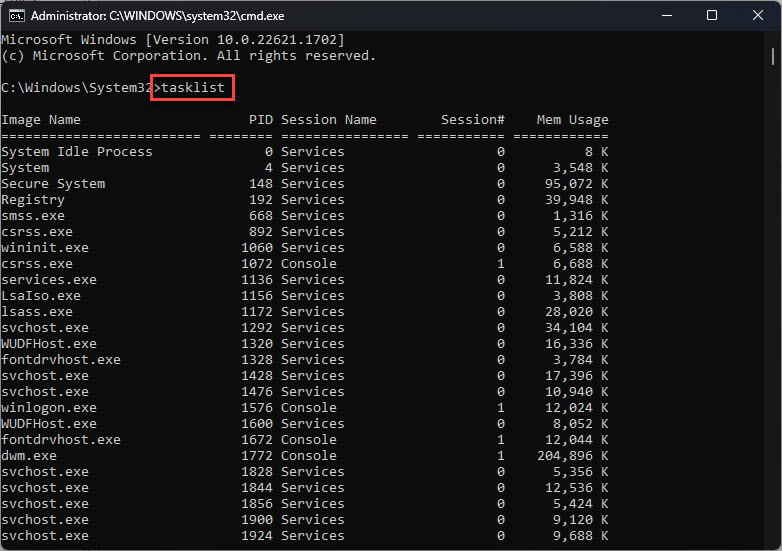
Running processes:
- WMIC: wmic process list brief
- PowerShell: Get-CimInstance Win32_Process | Select-Object Name, ProcessId, WorkingSetSize (හෝ සරලවම Get-Process)
Disk drives:
- WMIC: wmic logicaldisk get name,size,freespace
- PowerShell: Get-CimInstance Win32_LogicalDisk | Select-Object DeviceID, Size, FreeSpace
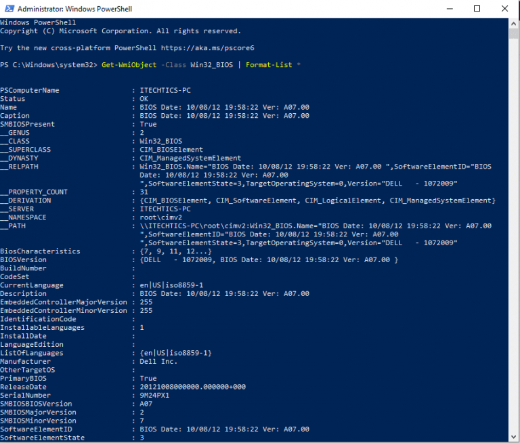
BIOS / serial number:
- WMIC: wmic bios get serialnumber
- PowerShell: Get-CimInstance Win32_BIOS | Select-Object SerialNumber
Installed products:
- WMIC: wmic product get name,version
- PowerShell: Get-CimInstance Win32_Product | Select-Object Name, Version
Filter සහ Format කරන්න
1. Rows filter කරන්න: Get-CimInstance Win32_Service | Where-Object { $_.State -eq 'Running' }
2. Table එකක් විදිහට format කරන්න: ... | Format-Table -AutoSize
3. Remote computer එකකින් query කරන්න: Get-CimInstance Win32_OperatingSystem -ComputerName SERVER01
Troubleshooting
Problem: WMIC command එක තවම run වෙනවා.
Solution: පරණ builds වල WMIC තාම තියෙන්න පුළුවන්, ඒත් deprecated. දැන්මම scripts PowerShell CIM cmdlets වලට migrate කරන්න.
Problem: Get-CimInstance කියනවා class එක නෑ කියලා.
Solution: Class name එක (Win32_*) spelling බලන්න; Get-CimClass Win32_* එකෙන් available classes list කරන්න.
Problem: Win32_Product slow, නැත්නම් software reconfigure කරනවා.
Solution: Win32_Product එක side effects ඇති කරන්න පුළුවන්; installed software වලට registry query එකක් හෝ Get-Package පාවිච්චි කරන්න.
Problem: Remote query වලදී Access denied.
Solution: Target එකේ admin rights ඕන; -ComputerName එක්ක -Credential (Get-Credential) පාවිච්චි කරන්න.
Conclusion
WMIC යනවා, ඒත් ඒකේ functionality ඔක්කොම — ඊටත් වඩා — PowerShell CIM cmdlets වල තියෙනවා. දැන්මම WMIC commands Get-CimInstance වලට map කරගන්න, එතකොට scripts future Windows releases වලත් වැඩ කරයි.
About TechHub
මේ guide එක TechHub Knowledge Base එකේ කොටසක්. තව step-by-step IT guides සහ support වලට techhub.com.lk එකට යන්න.