Overview
By design, Windows 10/11 client editions allow only one Remote Desktop session at a time. This guide explains the licensing considerations, the officially supported way to host multiple sessions, and the risks of unofficial modifications.
Allowing multiple RDP sessions in Windows.
Warning: Enabling multiple concurrent RDP sessions on Windows client editions may violate the Microsoft Software Licensing Terms. The supported way to host multiple simultaneous remote users is Windows Server with Remote Desktop Services (RDS) and the appropriate CALs. Consider this before using any workaround.
Key Takeaways
- Windows client editions officially allow one RDP session at a time.
- Multiple concurrent sessions are a Windows Server (RDS) feature.
- Third-party tools/DLL edits exist but carry licensing and security risks.
- The compliant solution is Windows Server + RDS CALs.
The Officially Supported Route
1. Use Windows Server (2019/2022/2025) with the Remote Desktop Services role.
2. Install and configure an RD Session Host and RD Licensing.
3. Purchase the required RDS Client Access Licenses (CALs).
4. Connect multiple users, each in their own compliant session.
What the Limit Looks Like
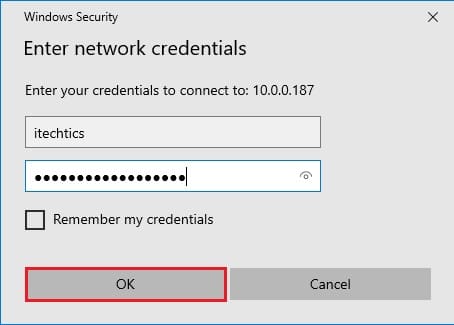
On client Windows, when a second user connects via RDP, the first is disconnected (you’ll see a "someone else is connecting" prompt). This is the single-session limit in action, not a bug.
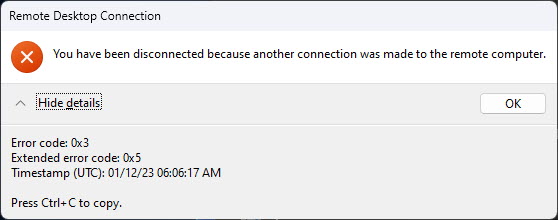
The disconnection prompt from the single-session limit.
About Third-Party Workarounds
Warning: Tools like RDP Wrapper or edits to termsrv.dll can bypass the limit, but they modify protected system files, can break with Windows updates, may be flagged by security software, and can breach licensing terms. TechHub does not recommend them on production or licensed systems.
- They alter core Terminal Services components.
- Windows updates often disable or break them.
- They can introduce security and stability risks.
- They may violate Microsoft licensing.
Troubleshooting
Problem: Second user keeps disconnecting the first.
Solution: That’s the client single-session limit — use Windows Server with RDS for true multi-session support.
Problem: Need several people on one PC.
Solution: Consider Windows Server + RDS, or separate machines/VMs, rather than modifying client Windows.
Problem: A workaround broke after an update.
Solution: Updates commonly break unofficial multi-session hacks; the supported RDS path avoids this entirely.
Problem: Is this legal on Windows 10/11?
Solution: Concurrent multi-user RDP isn’t licensed on client editions; use Windows Server/RDS to stay compliant.
Conclusion
Windows client editions intentionally limit you to one RDP session. For multiple simultaneous remote users, the correct, compliant, and reliable solution is Windows Server with Remote Desktop Services and the proper CALs — not unofficial DLL edits, which carry licensing, security, and stability risks.
</w:pBdr><w:spacing w:before="220" w:after="40"/></w:pPr><w:r><w:rPr><w:b/><w:bCs/><w:color w:val="0B5394"/><w:sz w:val="21"/><w:szCs w:val="21"/><w:rFonts w:ascii="Calibri" w:cs="Calibri" w:eastAsia="Calibri" w:hAnsi="Calibri"/></w:rPr><w:t xml:space="preserve">About TechHub
This guide is part of the TechHub Knowledge Base. For more step-by-step IT guides and support, visit techhub.com.lk.