Overview
Windows 10/11 client editions design එකෙන්ම එකවර එක Remote Desktop session එකකට විතරයි ඉඩ දෙන්නේ. මේ guide එකෙන් licensing සම්බන්ධ කරුණු, officially support කරන multiple sessions host කරන විදිහ, සහ unofficial modifications වල risk ගැන පැහැදිලි කරනවා.
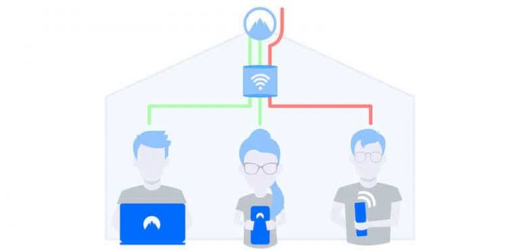
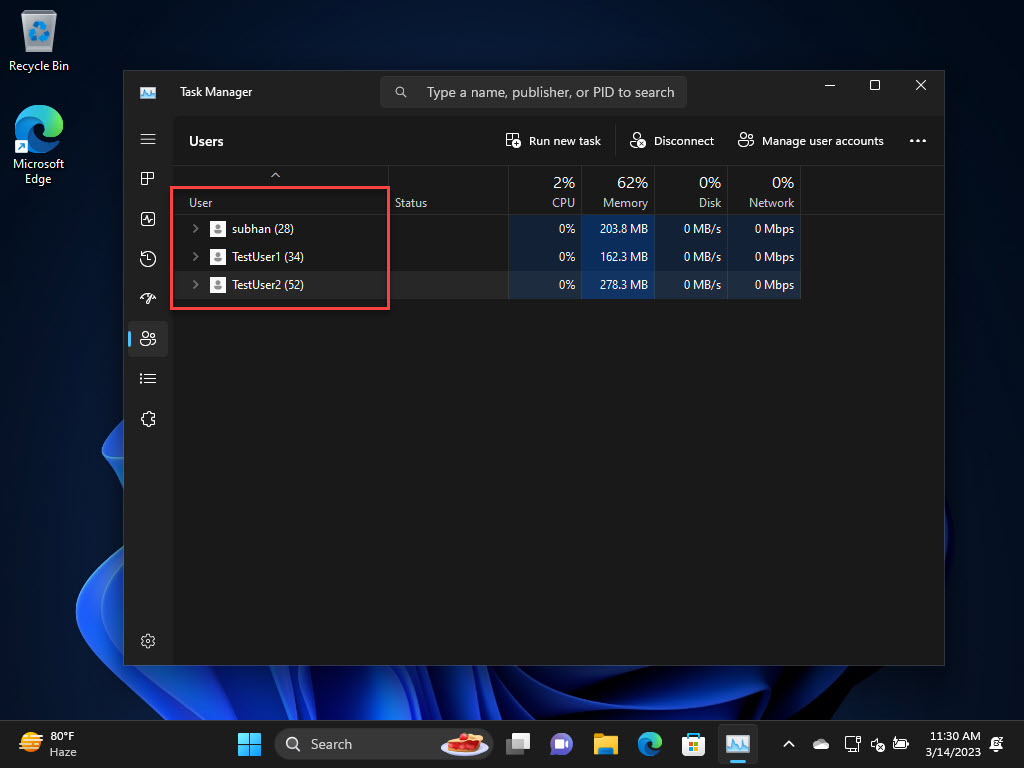
Windows එකේ multiple RDP sessions වලට ඉඩ දෙන හැටි.
Warning: Windows client editions වල multiple concurrent RDP sessions enable කරන එක Microsoft Software Licensing Terms වලට පටහැනි වෙන්න පුළුවන්. එකවර remote users කිහිප දෙනෙක් host කරන්න support කරන විදිහ තමයි Windows Server එකේ Remote Desktop Services (RDS) සහ ගැලපෙන CALs පාවිච්චි කරන එක. ඕනෑම workaround එකක් පාවිච්චි කරන්න කලින් මේක සලකා බලන්න.
Key Takeaways
- Windows client editions officially එකවර එක RDP session එකකට විතරයි ඉඩ දෙන්නේ.
- Multiple concurrent sessions කියන්නේ Windows Server (RDS) feature එකක්.
- Third-party tools/DLL edits තියෙනවා, ඒත් ඒවට licensing සහ security risks තියෙනවා.
- Compliant solution එක තමයි Windows Server + RDS CALs.
The Officially Supported Route
1. Remote Desktop Services role එක සමඟ Windows Server (2019/2022/2025) පාවිච්චි කරන්න.
2. RD Session Host සහ RD Licensing install කරලා configure කරන්න.
3. අවශ්ය RDS Client Access Licenses (CALs) මිලදී ගන්න.
4. users කිහිප දෙනෙක්, එක එක්කෙනා තමන්ගේම compliant session එකේ, connect කරන්න.
What the Limit Looks Like
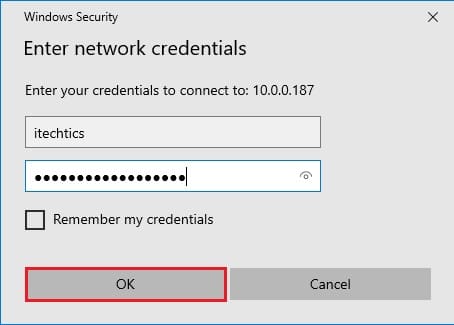
Client Windows එකේදී, දෙවෙනි user කෙනෙක් RDP හරහා connect වුණාම, පළවෙනියා disconnect වෙනවා ("someone else is connecting" prompt එකක් ඔයාට පෙනෙයි). මේක bug එකක් නෙවෙයි, single-session limit එක ක්රියාත්මක වෙන එකයි.
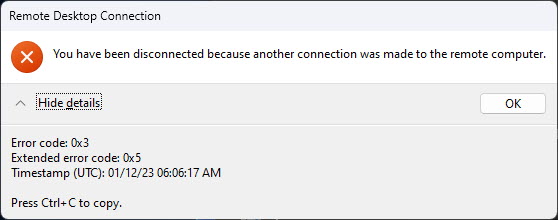
single-session limit එකෙන් එන disconnection prompt එක.
About Third-Party Workarounds
Warning: RDP Wrapper වගේ tools හෝ termsrv.dll වල edits වලින් මේ limit එක bypass කරන්න පුළුවන්, ඒත් ඒවා protected system files වෙනස් කරනවා, Windows updates වලින් කැඩෙන්න පුළුවන්, security software එකෙන් flag වෙන්න පුළුවන්, තව licensing terms වලට පටහැනි වෙන්නත් පුළුවන්. TechHub production හෝ licensed systems වල මේවා recommend කරන්නේ නෑ.
- ඒවා core Terminal Services components වෙනස් කරනවා.
- Windows updates බොහෝවිට ඒවා disable කරනවා හෝ කඩනවා.
- ඒවා security සහ stability risks ඇති කරන්න පුළුවන්.
- ඒවා Microsoft licensing වලට පටහැනි වෙන්න පුළුවන්.
Troubleshooting
Problem: දෙවෙනි user කෙනා දිගටම පළවෙනියා disconnect කරනවා.
Solution: ඒක තමයි client single-session limit එක — සැබෑ multi-session support එකට Windows Server එක RDS සමඟ පාවිච්චි කරන්න.
Problem: එක PC එකක මිනිස්සු කිහිප දෙනෙක් ඕන.
Solution: client Windows වෙනස් කරනවා වෙනුවට Windows Server + RDS, නැත්නම් වෙනම machines/VMs සලකා බලන්න.
Problem: update එකකට පස්සේ workaround එකක් කැඩුණා.
Solution: updates බොහෝවිට unofficial multi-session hacks කඩනවා; supported RDS path එකෙන් මේක සම්පූර්ණයෙන් මගහරිනවා.
Problem: මේක Windows 10/11 වල legal ද?
Solution: client editions වල concurrent multi-user RDP licensed නෑ; compliant වෙන්න Windows Server/RDS පාවිච්චි කරන්න.
Conclusion
Windows client editions හිතාමතාම ඔයාව එක RDP session එකකට සීමා කරනවා. එකවර remote users කිහිප දෙනෙකුට, නිවැරදි, compliant සහ විශ්වාසදායක solution එක තමයි Windows Server එක Remote Desktop Services සහ නිසි CALs සමඟ පාවිච්චි කරන එක — licensing, security සහ stability risks තියෙන unofficial DLL edits නෙවෙයි.
About TechHub
මේ guide එක TechHub Knowledge Base එකේ කොටසක්. තව step-by-step IT guides සහ support වලට techhub.com.lk එකට යන්න.