4 Ways to Enable or Disable Optional Windows Features
Turn Windows features like Hyper-V, WSL, and .NET 3.5 on or off via the GUI, DISM, and PowerShell.
Overview
Windows ships with many optional features (Hyper-V, WSL, .NET 3.5, Telnet, IIS, and more) you can turn on or off as needed. This guide covers four ways to manage them — the classic dialog, DISM, and PowerShell.
Enabling and disabling optional Windows features.
Key Takeaways
- "Turn Windows features on or off" is the GUI method.
- DISM manages features from the command line.
- PowerShell uses Enable/Disable-WindowsOptionalFeature.
- Some features need a reboot or an installation source.
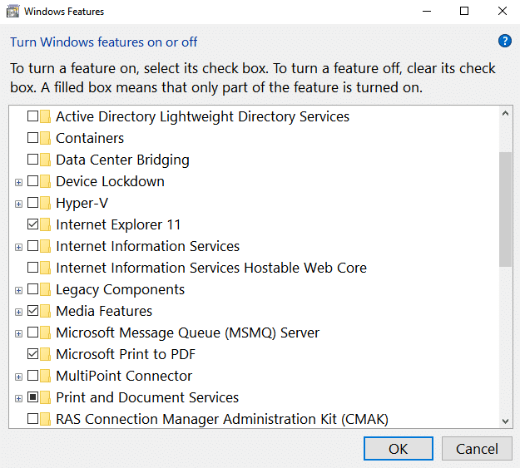
Method 1: The Features Dialog (GUI)
1. Press Windows + R, type optionalfeatures, and press Enter.
2. Tick a feature to enable it, or untick to disable.
3. Click OK and restart if prompted.
Method 2: Command Prompt (DISM)
1. Open Command Prompt as administrator.
2. List features: DISM /Online /Get-Features
3. Enable one: DISM /Online /Enable-Feature /FeatureName:Microsoft-Hyper-V /All
4. Disable one: DISM /Online /Disable-Feature /FeatureName:Microsoft-Hyper-V
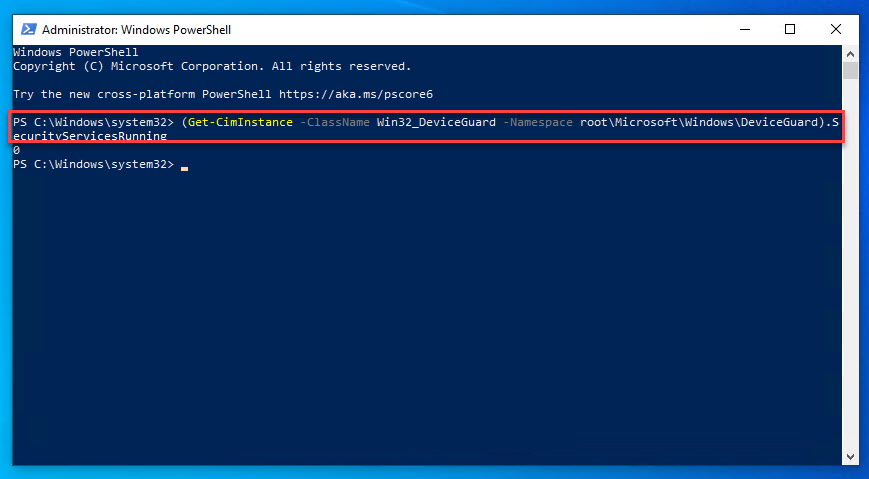
Method 3: PowerShell
1. Open PowerShell as administrator.
2. List: Get-WindowsOptionalFeature -Online
3. Enable: Enable-WindowsOptionalFeature -Online -FeatureName Microsoft-Windows-Subsystem-Linux -All
4. Disable: Disable-WindowsOptionalFeature -Online -FeatureName Microsoft-Windows-Subsystem-Linux
Method 4: With an Installation Source
1. Some features (e.g., .NET 3.5) may need source files if not cached.
2. Mount a Windows ISO and point DISM at it: DISM /Online /Enable-Feature /FeatureName:NetFx3 /All /Source:D:\sources\sxs /LimitAccess
3. This installs features offline without Windows Update.
Troubleshooting
Problem: Feature won’t enable ("source not found").
Solution: Provide an installation source with /Source, or ensure Windows Update access.
Problem: Feature greyed out.
Solution: Some features require a specific edition (e.g., Hyper-V on Pro+) or hardware support.
Problem: Change didn’t apply.
Solution: Restart the PC; many features finalize on reboot.
Problem: Don’t know the feature name.
Solution: Run DISM /Online /Get-Features or Get-WindowsOptionalFeature -Online to list exact names.
Conclusion
Manage optional Windows features through the optionalfeatures dialog for simplicity, or DISM/PowerShell for scripting. Provide an installation source for features like .NET 3.5 when needed, and reboot to finalize changes.