Overview
HTTP/3 run වෙන්නේ QUIC (UDP) මත, HTTP/2 ට වඩා වේගවත් සහ විශ්වාසදායක connections වලට. Windows Server 2022 එය IIS එකේ support කරනවා. මේ guide එකෙන් HTTP/3 සහ TLS 1.3 enable කරන හැටිත්, එය advertise කරන හැටිත්, එය work කරනවාද කියලා verify කරන හැටිත් පෙන්නනවා.
IIS එකට HTTP/3 enable කිරීම.
Key Takeaways
- HTTP/3 lower latency වලට QUIC over UDP use කරනවා.
- TLS 1.3 සහිත Windows Server 2022 අවශ්යයි.
- Registry එකෙන් enable කරලා Alt-Svc header එකකින් advertise කරන්න.
- Firewall එකේ UDP 443 open කරන්න.
Prerequisites
- IIS role එක install කරපු Windows Server 2022.
- Site එකට bind කරපු valid TLS certificate එකක් (HTTPS).
- TLS 1.3 support enable කරලා.
Step 1: Enable HTTP/3 and TLS 1.3
Warning: Registry එක වැරදියට edit කරාම ප්රශ්න එන්න පුළුවන්. මුලින්ම Registry එක back up කරන්න.
1. Registry එකෙන් HTTP/3 enable කරන්න (EnableHttp3) සහ QUIC support enable කරන්න.
2. SChannel settings වල TLS 1.3 enable වෙලා තියෙනවා කියලා තහවුරු කරගන්න.
3. Apply කරන්න server එක reboot කරන්න.
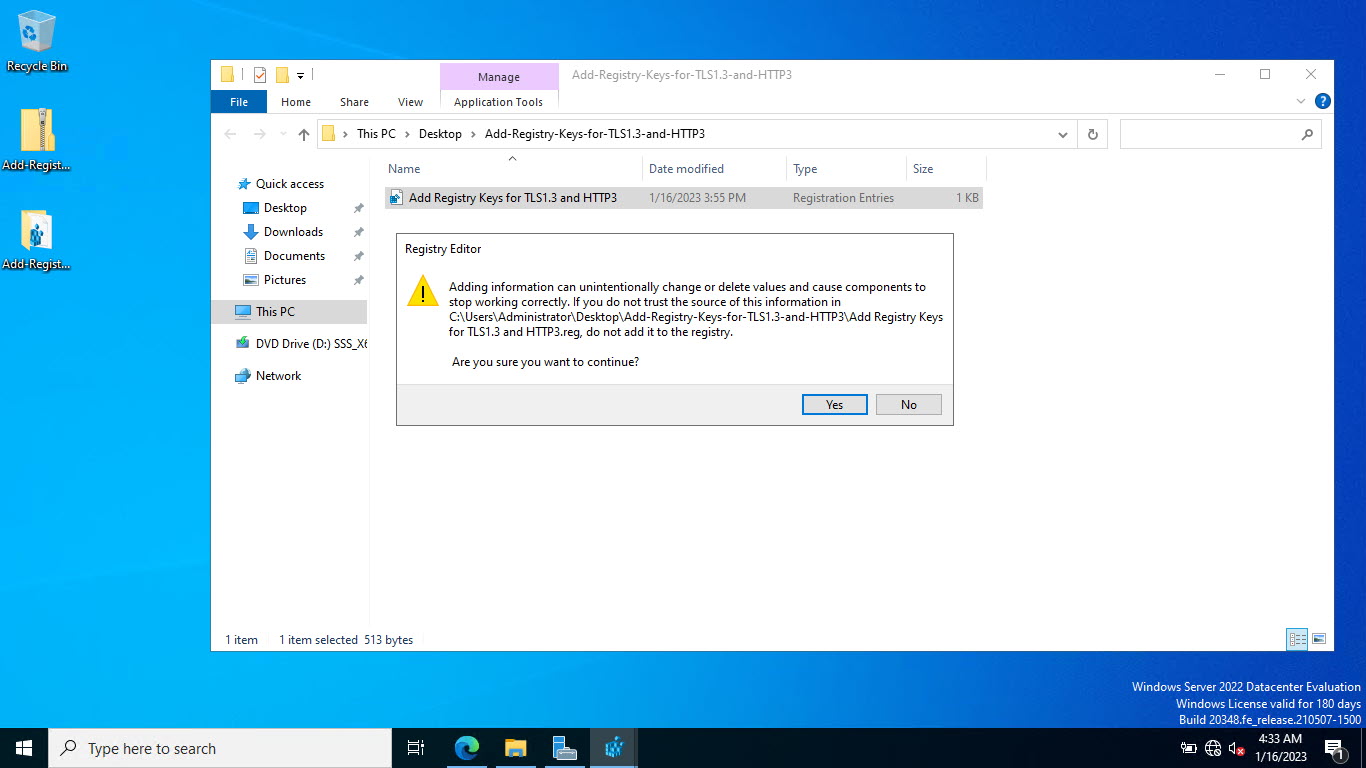
.reg file එකකින් settings apply කිරීම.
Step 2: Add the Required Cipher
1. TLS 1.3 cipher suites (උදා: TLS_AES_256_GCM_SHA384) enable වෙලා තියෙනවා කියලා තහවුරු කරගන්න.
2. ඒවා Group Policy හෝ SSL cipher configuration එකේ add/verify කරන්න.
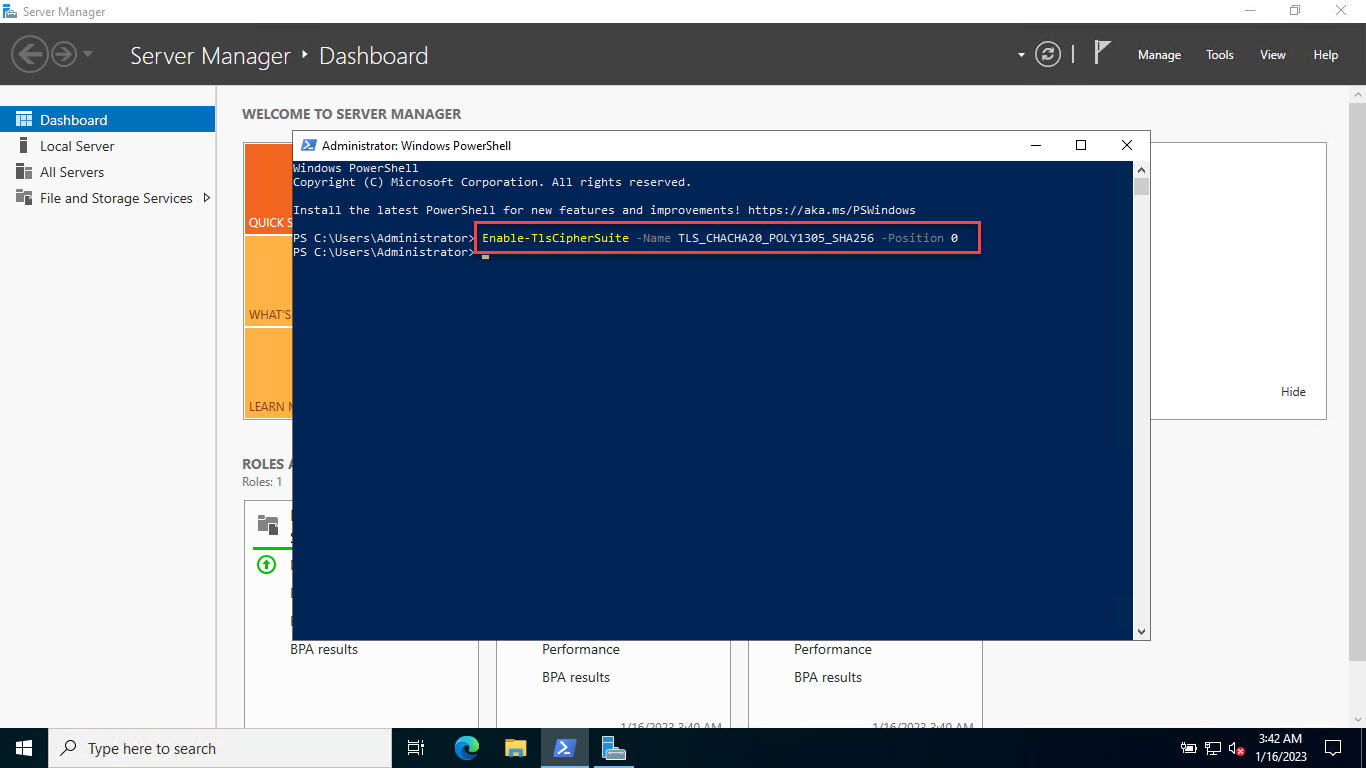
අවශ්ය cipher එක enable කිරීම.
Step 3: Advertise HTTP/3 (Alt-Svc)
1. IIS Manager එකේ site එකේ HTTP Response Headers open කරන්න.
2. Header එකක් add කරන්න: Name = alt-svc, Value = h3=":443"; ma=86400
3. මෙය clients ට HTTP/3 available කියලා කියනවා.
Step 4: Open the Firewall and Verify
1. Windows Firewall හරහා UDP port 443 allow කරන්න (HTTP/3 UDP use කරනවා).
2. Modern browser එකකින් site එක browse කරලා DevTools > Network > Protocol එකේ "h3" පෙන්නනවාද කියලා check කරන්න.
3. නැත්නම් online HTTP/3 test tool එකක් use කරන්න.
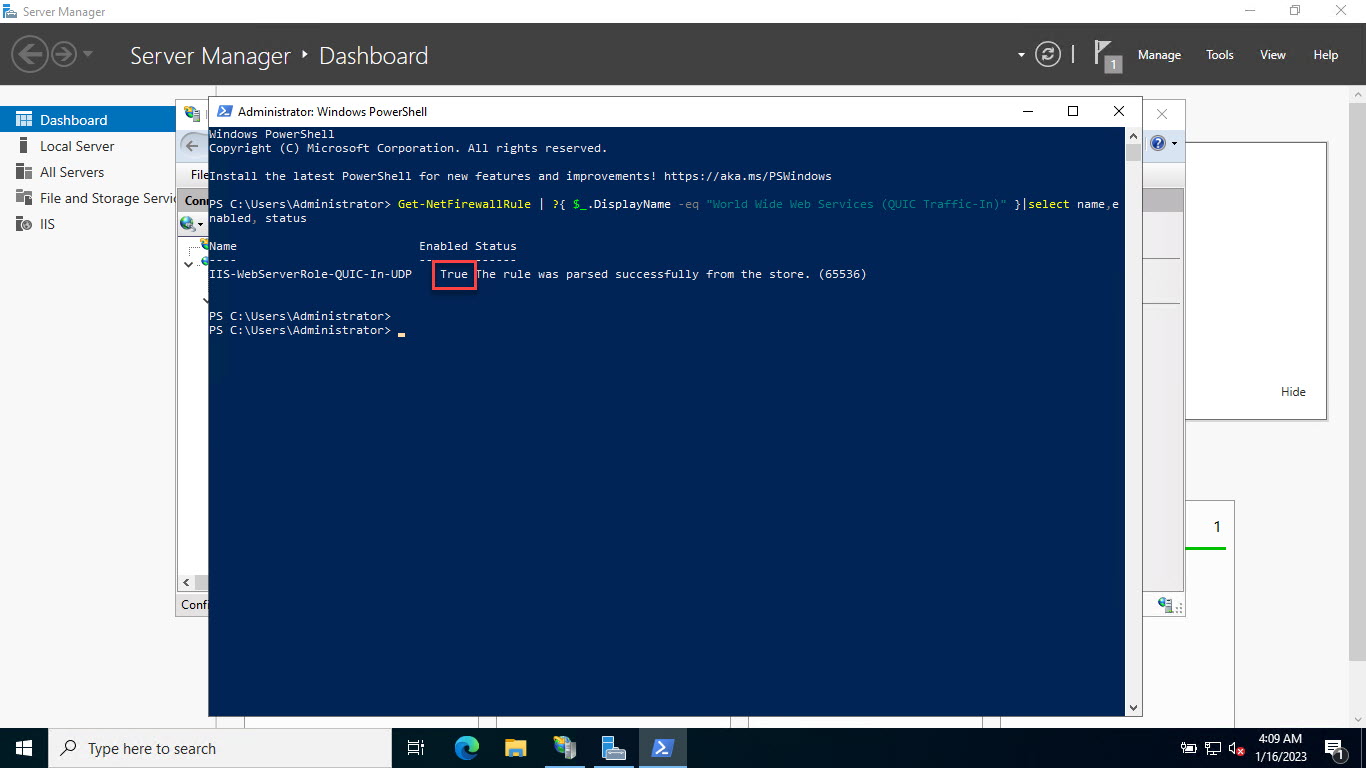
Port 443 වලට firewall status එක check කිරීම.
Troubleshooting
Problem: Browser එක තාම HTTP/2 use කරනවා.
Solution: alt-svc header එක තියෙනවාද, UDP 443 open ද, client එක HTTP/3 support කරනවාද කියලා confirm කරන්න; පළමු request එක ඊළඟ connection එකේදී upgrade වෙනවා.
Problem: HTTP/3 negotiate වෙන්නේ නෑ.
Solution: TLS 1.3 සහ අවශ්ය ciphers enable වෙලා තියෙනවාද, certificate එක valid ද කියලා තහවුරු කරගන්න.
Problem: UDP එකේ connections fail වෙනවා.
Solution: Firewall/NAT එකක් UDP 443 block කරන්න පුළුවන් — එය end-to-end open කරන්න.
Problem: Setting එක apply වුණේ නෑ.
Solution: Registry changes වලට පස්සේ reboot කරන්න; HTTP/3 support startup එකේදී initialize වෙනවා.
Conclusion
Server 2022 එකේ IIS එකේ HTTP/3 enable කරන්න ඕන Registry එකෙන් QUIC/TLS 1.3 on කරලා, Alt-Svc header එකකින් advertise කරලා, UDP 443 open කරන එකයි. Configure කරාට පස්සේ modern browsers ඉබේම HTTP/3 negotiate කරනවා, වේගවත් සහ තව resilient connections වලට.
About TechHub
මේ guide එක TechHub Knowledge Base එකේ කොටසක්. තව step-by-step IT guides සහ support වලට techhub.com.lk එකට යන්න.