How to Fix the Windows Calculator Missing or Not Working
Reinstall, repair, or reset the Calculator app when it disappears or stops responding.
Overview
The Windows Calculator can go missing after an update or account change, or stop opening. This guide shows how to reinstall it from the Store or PowerShell and how to repair or reset it.
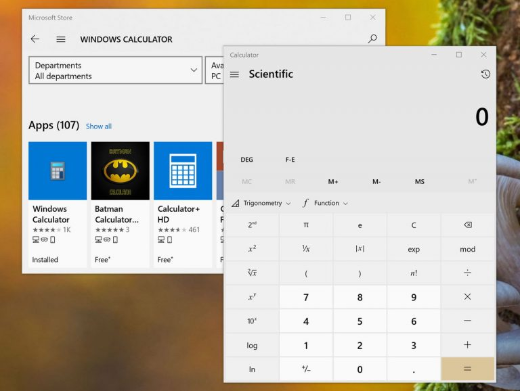
The Windows Calculator app.
Key Takeaways
- Reinstall Calculator free from the Microsoft Store.
- PowerShell can reinstall it when the Store fails.
- Repair/Reset fixes a Calculator that won’t open.
- SFC and Windows updates resolve deeper issues.
Reinstall from the Microsoft Store
1. Open the Microsoft Store.
2. Search for "Windows Calculator".
3. Click Get/Install and wait for it to install.
4. Launch it from the Start menu.
Reinstall with PowerShell
1. Open PowerShell as administrator.
2. Reinstall inbox apps (includes Calculator): Get-AppxPackage -allusers Microsoft.WindowsCalculator | Foreach {Add-AppxPackage -DisableDevelopmentMode -Register "$($_.InstallLocation)\AppXManifest.xml"}
3. If missing entirely, install it from the Store.
Repair or Reset the App
1. Open Settings > Apps > Installed apps.
2. Find "Calculator" > three dots > Advanced options.
3. Click Repair; if it still fails, click Reset.
4. Reopen the app.
Other Fixes
1. Run the Windows Store Apps troubleshooter (Settings > System > Troubleshoot).
2. Run sfc /scannow in an elevated prompt.
3. Install pending Windows updates.
4. Update apps via Microsoft Store > Library > Get updates.
Troubleshooting
Problem: Repair/Reset options missing.
Solution: Use the PowerShell re-register command, then reboot.
Problem: Store won’t install it.
Solution: Run the Store Apps troubleshooter, sign into the Store, and check for Windows updates.
Problem: Opens then crashes.
Solution: Reset the app; run SFC/DISM to repair system files.
Problem: Missing after a new user profile.
Solution: Reinstall from the Store or run the PowerShell re-register command for all users.
Conclusion
A missing or broken Calculator is easy to restore: reinstall from the Microsoft Store (or via PowerShell), and use Repair/Reset for one that won’t open. SFC and Windows updates clear up any lingering issues.