Overview
Error 0x80072F8F – 0x20000 එන්නේ Media Creation Tool එකට Microsoft's servers වලට connect වෙන්න බැරි වෙනකොට — බොහෝවිට TLS setting එකක්, incorrect date/time, network problem, හෝ low disk space නිසා. මේ guide එකෙන් fixes පිළිවෙළින් හරහා යනවා.
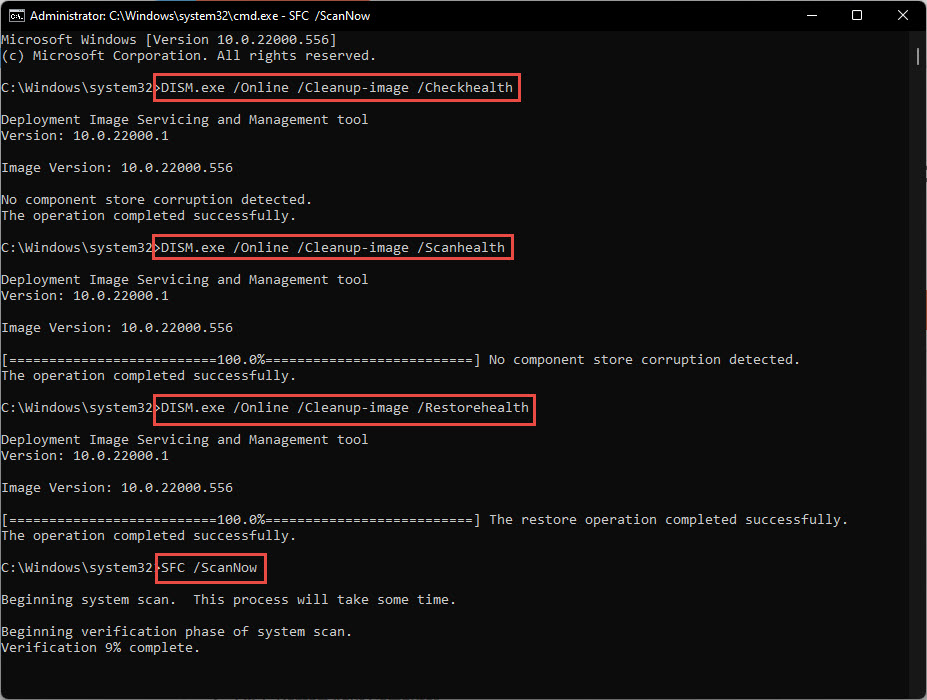
Media Creation Tool error 0x80072F8F – 0x20000.
Key Takeaways
- Error එක බොහෝවිට TLS හෝ connectivity problem එකක්.
- Tool එක administrator විදිහට run කරලා date/time verify කරන්න.
- TLS 1.1/1.2 enable කරලා stable connection එකක් තියෙනවා කියලා බලන්න.
- ඕන නම් disk space free කරලා SoftwareDistribution clear කරන්න.
Fix 1: Administrator විදිහට Run කරන්න
1. MediaCreationTool.exe right-click කරන්න.
2. "Run as administrator" තෝරන්න.
3. UAC prompt එක accept කරලා retry කරන්න.

Media Creation Tool එක administrator විදිහට run කරන්න.
Fix 2: Date, Time, සහ Requirements Check කරන්න
1. Settings > Time & language > Date & time open කරලා "Set time automatically" enable කරන්න.
2. PC එක target Windows version එකේ requirements සම්පූර්ණ කරනවා කියලා confirm කරන්න.
Fix 3: Stable Internet Connection එකක් Confirm කරන්න
1. පුළුවන් නම් wired connection එකකට switch කරන්න.
2. Microsoft servers block කරන්න පුළුවන් VPNs/proxies තාවකාලිකව disable කරන්න.
3. Download එක retry කරන්න.
Fix 4: Conflicting Apps End කරන්න
1. Task Manager (Ctrl + Shift + Esc) open කරන්න.
2. Interfere කරන්න පුළුවන් background apps (download managers, aggressive security tools) end කරන්න.
3. Tool එක ආපහු run කරන්න.
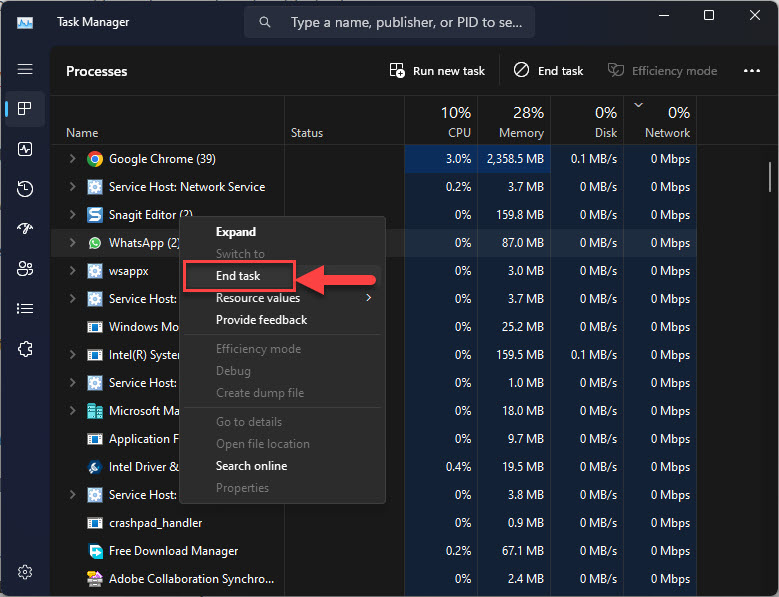
Task Manager එකේ conflicting tasks end කරන්න.
Fix 5: TLS 1.1 සහ 1.2 Enable කරන්න
1. Internet Options (inetcpl.cpl) > Advanced open කරන්න.
2. Security යටතේ, "Use TLS 1.1" සහ "Use TLS 1.2" tick කරන්න.
3. Apply click කරලා tool එක retry කරන්න.
Fix 6: Disk Space Free කරලා SoftwareDistribution Clear කරන්න
1. System drive එකේ space free කරන්න (Disk Cleanup හෝ Storage Sense).
2. Windows Update service එක stop කරලා, C:\Windows\SoftwareDistribution\Download එකේ contents delete කරලා, service එක restart කරන්න.
3. Media Creation Tool එක retry කරන්න.
Fix 7: Clean Boot
1. msconfig run කරලා, Selective startup තෝරලා, non-Microsoft services සහ startup apps disable කරන්න.
2. Restart කරලා clean environment එකේ tool එක run කරන්න.
3. ඊට පස්සේ normal startup එකට revert කරන්න.
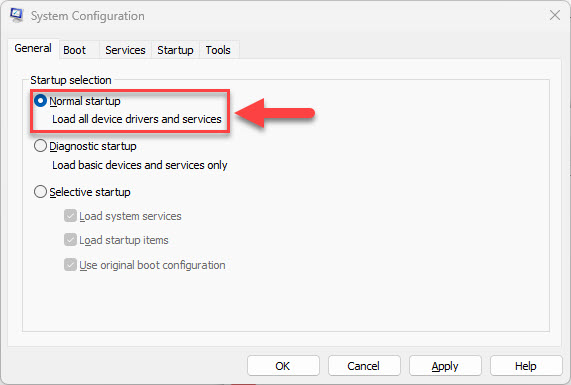
Test කළාට පස්සේ normal startup එකට revert කරන්න.
Troubleshooting
Problem: Steps ඔක්කොම වලට පස්සෙත් error එක තියෙනවා.
Solution: Media Creation Tool එක වෙනුවට Microsoft's official site එකෙන් ISO එක direct download කරන්න.
Problem: Tool එකට servers වලට reach කරන්න බෑ.
Solution: VPN/proxy disable කරලා date/time correct කියලා confirm කරන්න — wrong clock එකක් TLS certificate validation break කරනවා.
Problem: අතරමගදී fail වෙනවා.
Solution: තව disk space free කරලා SoftwareDistribution download cache එක clear කරලා retry කරන්න.
Problem: TLS options greyed out.
Solution: Group policy එකක් ඒවා control කරන්න පුළුවන්; managed PCs වල administrator එකට TLS 1.2 enable කරන්න කියන්න.
Conclusion
Error 0x80072F8F – 0x20000 බොහෝවිට TLS, clock, හෝ connectivity වලට බහිනවා. Tool එක admin විදිහට run කරලා, date/time fix කරලා, TLS 1.2 enable කරලා, disk space free කරන්න — නැත්නම් tool එක තවම cooperate නොකරනවා නම් Microsoft එකෙන් ISO එක direct download කරන්න.
About TechHub
මේ guide එක TechHub Knowledge Base එකේ කොටසක්. තව step-by-step IT guides සහ support වලට techhub.com.lk එකට යන්න.