ඔබේ Windows PC එකේ හැම Hardware Detail එකක්ම බලන්න Tools 10ක්
මේ නොමිලේ system-info utilities වලින් ඔබේ CPU, GPU, RAM, motherboard සහ තව ගොඩක් දේවල් හඳුනාගන්න.
Overview
ඔබ upgrade කරන්නද, troubleshoot කරන්නද, නැත්නම් හුඟක් curious ද — මොනවා වුණත් මේ tools ඔබේ PC එකේ detailed hardware information පෙන්නනවා — CPU සහ GPU ඉඳන් RAM timings සහ sensor readings වෙනකම්. මේ guide එකෙන් හොඳම දහයක් එකතු කරලා තියෙනවා.
ඔබේ PC එකේ hardware details බලන්න tools.
Note: bundled හෝ fake installers වළක්වගන්න හැම tool එකක්ම එකේ official website එකෙන් විතරක් download කරන්න.
Key Takeaways
- මේ tools CPU, GPU, RAM, board සහ sensor data report කරනවා.
- CPU-Z, Speccy සහ HWiNFO තමයි වඩාත්ම popular.
- සමහරවා temperatures සහ voltages පවා පෙන්නනවා.
- මේ තෝරගත්ත ඔක්කොම නොමිලේ (සමහරවා personal use වලට).
Hardware-Info Tools 10
- CPU-Z — detailed CPU, motherboard සහ RAM information.
- Speccy — components ඔක්කොම temperatures එක්ක පිරිසිදු overview එකක්.
- HWiNFO (32/64) — deep hardware details සහ live sensor monitoring.
- PC Wizard — hardware analysis සහ සරල benchmarks.
- SiSoftware Sandra Lite — diagnostics සහ benchmarking suite එකක්.
- WinAudit — full software/hardware inventory report එකක්.
- BlackBox — support වලට quick system snapshot එකක්.
- Flitskikker Info Tool — lightweight hardware summary එකක්.
- Smart System Informer — component overview සහ reports.
- RWEverything — advanced low-level hardware/register access (experts වලට).
මොකක් පාවිච්චි කරන්නද
- ඉක්මන්, friendly overview එකක්: Speccy.
- CPU/RAM/board specifics: CPU-Z.
- Sensors සහ deep detail: HWiNFO.
- Inventory/reporting: WinAudit.
- Low-level access: RWEverything (advanced users විතරයි).
Built-in Alternatives
- Broad overview එකකට System Information (msinfo32).
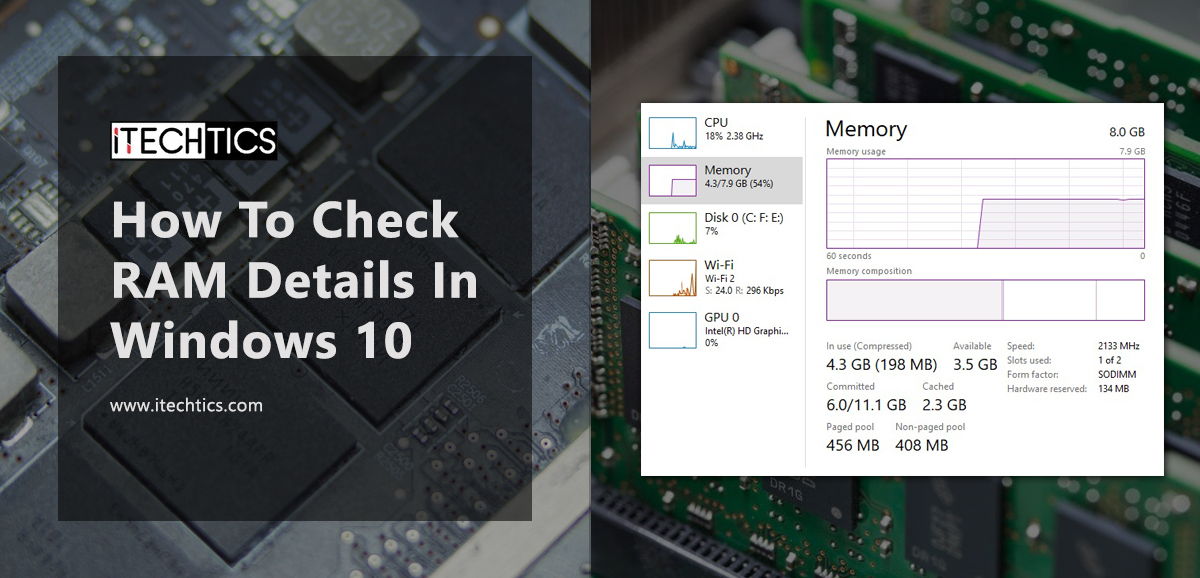
- Live CPU/GPU/RAM වලට Task Manager > Performance.
- graphics/sound details වලට dxdiag.
Troubleshooting
Problem: Tool එක incomplete info පෙන්නනවා.
Solution: administrator විදිහට run කරන්න; සමහර sensor/board data වලට elevation ඕන.
Problem: temperature readings නෑ.
Solution: support කරන තැන hardware sensors කියවන HWiNFO හෝ Speccy පාවිච්චි කරන්න.
Problem: Antivirus tool එකක් flag කරනවා.
Solution: Low-level tools (උදා: RWEverything) සමහර වෙලාවට false-flag වෙනවා — official site එකෙන් download කරලා verify කරගන්න.
Problem: Quick check එකක් විතරයි ඕන.
Solution: මොනවා හරි install කරන්න කලින් built-in msinfo32 හෝ Task Manager පාවිච්චි කරන්න.
Conclusion
beginner-friendly Speccy ඉඳන් detailed HWiNFO සහ CPU-Z වෙනකම්, මේ නොමිලේ tools ඔබේ PC එකේ හැම hardware detail එකක්ම පෙන්නනවා. ඔබේ අවශ්යතාවට ගැළපෙන එකක් තෝරගන්න — quick overview, deep sensors, නැත්නම් full inventory — සහ download කරන්නේ official sources වලින් විතරයි.