Overview
Microsoft Windows 1985 ඉඳලා versions ගොඩක් හරහා ගිහින් තියෙනවා. මේ guide එකෙන් major releases පිළිවෙළින්, එක එක එක introduce කරපු දේ, සහ ඔබ run කරන්නේ කොයි version එකද කියලා බලන ආකාරය දානවා.
Windows version 1.0 එකේ ඉඳලා Windows 11 දක්වා evolve වෙලා.
Key Takeaways
- Windows පටන්ගත්තේ 1985 version 1.0 එකෙන්.
- NT line එක (Windows NT/2000/XP ඉඳලා) modern Windows foundation එක වුණා.
- Windows 10 සහ 11 current consumer releases.
- ඔබේ exact version එකයි build එකයි බලන්න winver run කරන්න.
Early Windows (1985–2000)
- Windows 1.0 (1985) සහ 2.0 (1987) — MS-DOS උඩ මුල් graphical shells.
- Windows 3.0/3.1 (1990–92) — හොඳ UI එකයි apps එකයි එක්ක Windows popularize කළා.
- Windows 95 (1995) — Start menu, taskbar, සහ 32-bit apps.
- Windows 98 / Me (1998–2000) — 95 මත build වෙන consumer updates.
NT Line එක (1993–2009)
- Windows NT 3.1–4.0 (1993–96) — modern Windows underpin කරන business/enterprise kernel එක.
- Windows 2000 (2000) — NT-based, Active Directory introduce කළා.
- Windows XP (2001) — consumer සහ NT lines merge කළා; ගොඩක් popular, ගොඩක් කල් තිබුණා.
- Windows Vista (2007) සහ 7 (2009) — අලුත් UI (Aero); Windows 7 ගොඩක් ආදරය ලැබුවා.
Modern Windows (2012–දැන් දක්වා)
- Windows 8 / 8.1 (2012–13) — touch-focused Start screen (controversial).
- Windows 10 (2015) — Start menu ආපහු ගෙනාවා; feature updates එක්ක "Windows as a service" විදිහට දුන්නා.
- Windows 11 (2021) — redesigned UI, දැඩි hardware requirements (TPM 2.0), සහ ongoing annual updates (22H2, 23H2, 24H2, 25H2).
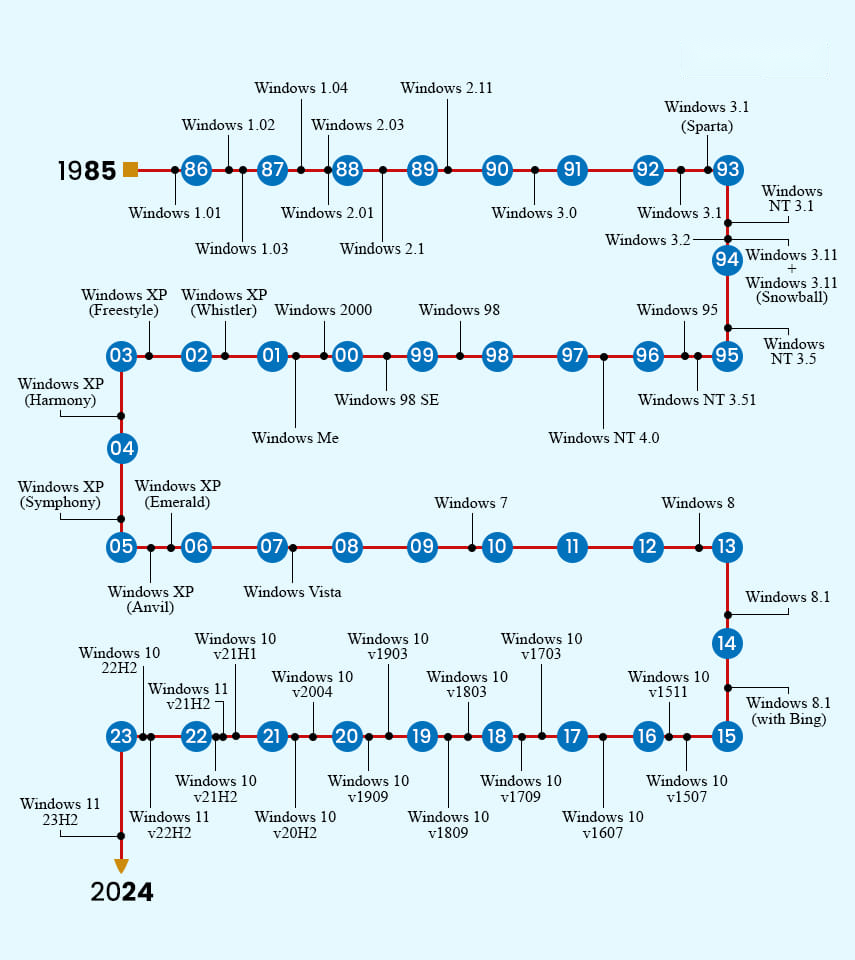
Major Windows releases වල timeline එකක්.
ඔබේ Windows Version එක බලන්නේ කොහොමද
1. Windows key + R press කරලා winver type කරලා Enter කරන්න.
2. About Windows box එකේ edition, version, සහ build number පෙන්නනවා.
3. තව විස්තර වලට Settings > System > About open කරන්න.
Frequently Asked Questions
Problem: අද කොයි Windows version එකද run කරන්න ඕන?
Solution: Supported hardware වලට Windows 11. Windows 10 support වෙන්නේ 2025 ඔක්තෝබර් 14 දක්වා විතරයි.
Problem: Version එකයි build එකයි අතර වෙනස මොකක්ද?
Solution: Version එක (බ. 23H2) කියන්නේ feature-update name එක; build number එක කියන්නේ ඒක ඇතුළේ precise OS build එක.
Problem: Windows 10 තවම safe ද?
Solution: 2025 ඔක්තෝබර් දක්වා security updates ලැබෙනවා; ඊට පස්සේ, upgrade කරන්න හෝ Extended Security Updates වලට enroll වෙන්න.
Problem: මට 32-bit ද 64-bit ද කියලා දැනගන්නේ කොහොමද?
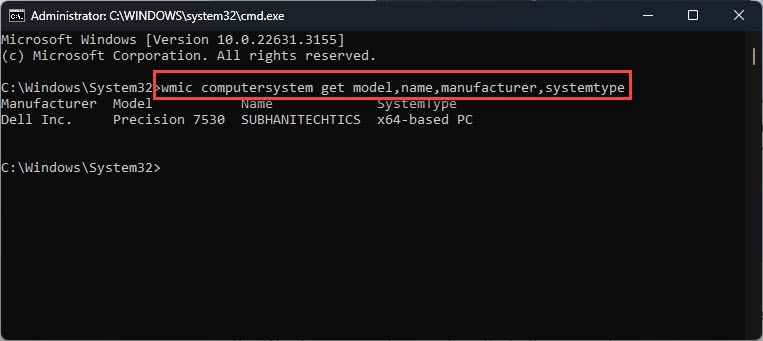
Solution: Settings > System > About එකේ System type යටතේ බලන්න.
Conclusion
1.0 එකේ ඉඳලා Windows 11 දක්වා, හැම release එකක්ම අපි PCs පාවිච්චි කරන විදිහ reshape කළා. ඔබ run කරන්නේ මොකද කියලා හරියටම බලන්න winver type කරන්න — current support වලට, Windows 11 තමයි ඉන්න ඕන version එක.
About TechHub
මේ guide එක TechHub Knowledge Base එකේ කොටසක්. තව step-by-step IT guides සහ support වලට techhub.com.lk එකට යන්න.