Findstr: Windows Command එකෙන් Files වල Text Search කිරීම (grep Alternative එකක්)
Files සහ command output වල strings සහ patterns search කරන්න built-in findstr command එක පාවිච්චි කරන්න.
Overview
findstr කියන්නේ Windows එකේ built-in text-search command එක — Linux එකේ grep වගේ. එයට files සහ folders search කරන්න හෝ command output filter කරන්න පුළුවන්. මේ guide එකෙන් අත්යවශ්ය දේවල් සහ common options cover කරනවා.
Text search කරන්න findstr පාවිච්චි කිරීම.
Key Takeaways
- findstr files සහ piped output වල strings/patterns search කරනවා.
- /S subfolders search කරනවා; /I case ignore කරනවා.
- /R regular expressions enable කරනවා.
- Logs, config files, සහ command output filter කරන්න නියමයි.
File එකක් ඇතුළේ Search කිරීම
1. Command Prompt එක open කරන්න.
2. Run කරන්න: findstr "error" logfile.txt
3. Case-insensitive: findstr /I "error" logfile.txt
4. Line numbers පෙන්නන්න: findstr /N "error" logfile.txt
Folder එකක් Search කිරීම (Recursively)
1. Folder එකක සහ subfolders වල .txt ඔක්කොම search කරන්න: findstr /S /I "password" *.txt
2. Match වෙන filenames විතරක් list කරන්න: /M add කරන්න
3. Combine කරන්න: findstr /S /M /I "TODO" *.cs
Command Output Filter කිරීම (Pipe)
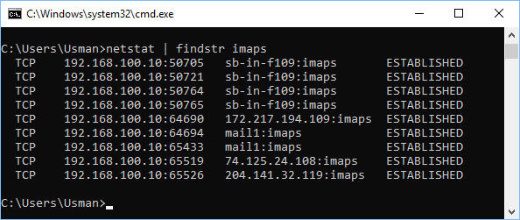
1. ඕන command එකක් findstr එකට pipe කරන්න: ipconfig | findstr "IPv4"
2. tasklist | findstr /I "chrome"
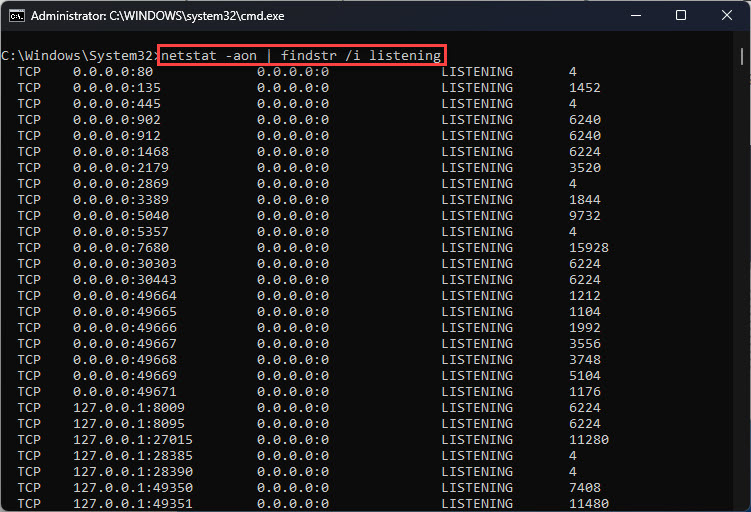
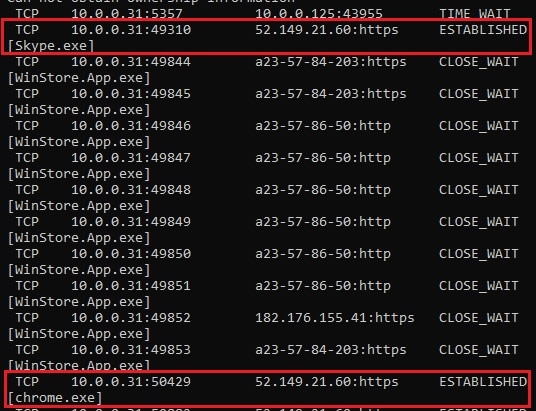
3. netstat -ano | findstr ":443"
Useful Options
- /I — case-insensitive.
- /S — subdirectories වලට recurse කරනවා.
- /N — line numbers පෙන්නනවා.
- /M — match වෙන file names විතරක් list කරනවා.
- /R — search එක regular expression එකක් විදිහට සලකනවා.
- /V — match නොවෙන lines පෙන්නනවා.
Troubleshooting
Problem: Multi-word search fail වෙනවා.
Solution: Default විදිහට space වලින් වෙන් වෙච්ච හැම වචනයක්ම වෙනම term එකක්; literal phrase එකකට /C:"exact phrase" පාවිච්චි කරන්න.
Problem: Regex match වෙන්නේ නෑ.
Solution: /R add කරලා findstr ගේ regex syntax එක පාවිච්චි කරන්න (grep එකට සාපේක්ෂව එය සීමිතයි).
Problem: Subfolders වල results නෑ.
Solution: Subdirectories වලට recurse කරන්න /S add කරන්න.
Problem: Case mismatch.
Solution: Case-insensitive matching වලට /I add කරන්න.
Conclusion
findstr කියන්නේ Windows වලට හොඳ, built-in grep alternative එකක්. /S සහ /I එක්ක files search කරන්න, /C: එකෙන් phrases match කරන්න, regex වලට /R පාවිච්චි කරන්න, තව results filter කරන්න command output එය හරහා pipe කරන්න — extra tools නැතුව.