Overview
Windows එකෙන් Microsoft account එකකින් sign in වෙන්න දිරි දෙනවා, ඒත් privacy එකට නැත්නම් share කරන PC එකක ඔබ local account එකකට කැමති වෙන්න පුළුවන්. මේ guide එකෙන් ඔබේ account එක local එකකට switch කරන්නේ කොහොමද කියලා සහ secondary Microsoft account එකක් remove කරන්නේ කොහොමද කියලා පෙන්නනවා.
Key Takeaways
- ඔබේ Microsoft account sign-in එක local account එකකට convert කරන්න පුළුවන්.
- account එකක් remove කරන එක ඔබේම sign-in type එක switch කරන එකට වඩා වෙනස්.
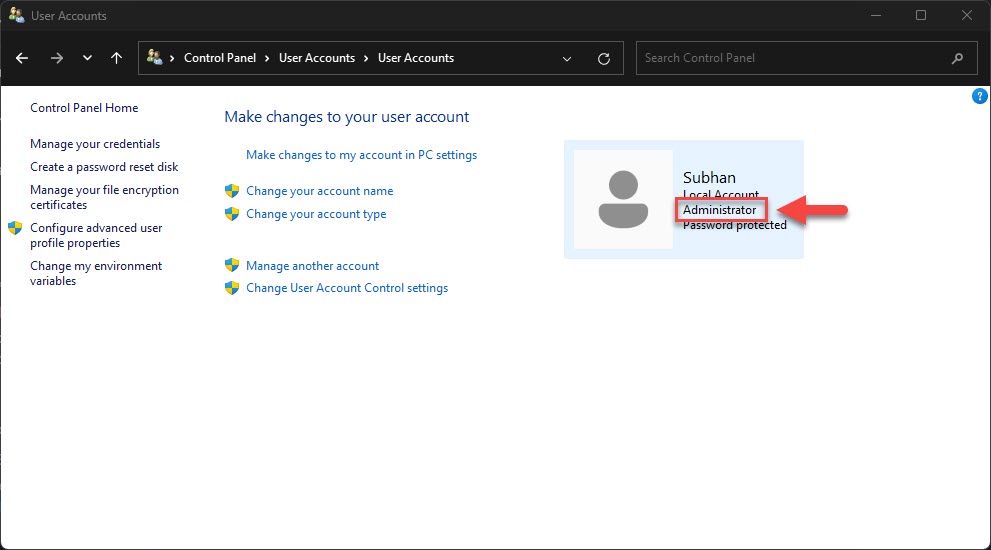
- PC එකේ අඩුම තරමේ administrator account එකක් හෝ ඉතුරු වෙන්න ඕන.
- සමහර Store සහ sync features වලට Microsoft account එකක් ඕන.
Switch to a Local Account
1. Settings > Accounts > Your info open කරන්න.
2. Sign in with a local account instead click කරන්න.
3. ඔබේ identity එක verify කරලා, local username එකයි password එකයි set කරන්න.
4. switch එක complete කරන්න sign out කරලා ආයෙත් sign in වෙන්න.
Remove a Secondary Account
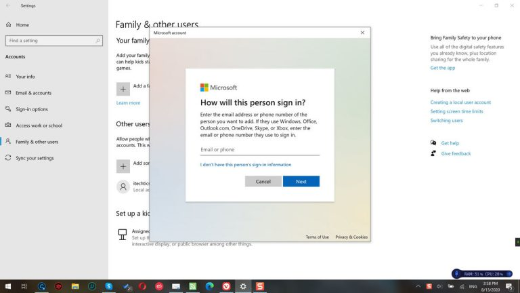
1. Settings > Accounts > Family & other users එකට යන්න.
2. ඔබට remove කරන්න ඕන Microsoft account එක තෝරන්න.
3. Remove click කරලා confirm කරන්න.
4. remove කරන්න කලින් තව administrator account එකක් තියෙනවද කියලා තහවුරු කරගන්න.
Warning: account එකක් remove කරාම ඒකේ local profile data delete වෙනවා. මුලින්ම ඒ user ගේ files back up කරන්න, මොකද මේක undo කරන්න බෑ.
Troubleshooting
Problem: switch-to-local option එක නැහැ.
Solution: ඔබ දැනටමත් local account එකක් පාවිච්චි කරනවා වෙන්න පුළුවන්, නැත්නම් policy එකක් වෙනස block කරනවා; ඔබේ administrator එක්ක check කරන්න.
Problem: අන්තිම account එක remove කරන්න බෑ.
Solution: මුලින්ම තව administrator account එකක් හදන්න, මොකද Windows එකට අඩුම තරමේ admin කෙනෙක් ඕන.
Problem: switch කරාට පස්සේ Store apps වැඩ කරන එක නවතිනවා.
Solution: Windows sign-in එකට පාවිච්චි නොකර, Microsoft account එකකින් තාම Store එකට sign in වෙන්න පුළුවන්.
Problem: අලුත් local password එක අමතක වුණා.
Solution: password reset disk එකක් නැත්නම් administrator account එකක් පාවිච්චි කරලා ඒක reset කරන්න.
Conclusion
වැඩි privacy එකක් ඕන වුණත්, නැත්නම් share කරන PC accounts පිරිසිදු කරනවා වුණත්, Windows එකෙන් local account එකකට යන්න නැත්නම් ඕන නැති එකක් remove කරන්න ලේසි කරලා තියෙනවා — administrator කෙනෙක් තියාගන්න එක විතරයි මතක තියාගන්න.
About TechHub
මේ guide එක TechHub Knowledge Base එකේ කොටසක්. තව step-by-step IT guides සහ support වලට techhub.com.lk එකට යන්න.