Overview
The Run box launches programs, folders, and system tools by name. Knowing several ways to open it keeps you productive whatever the situation. This guide lists the quickest methods.
Key Takeaways
- Windows + R is the fastest way to open Run.
- The Power User menu and Start search also open it.
- Run accepts program names, paths, and .msc console commands.
- It remembers recent entries for quick reuse.
Ways to Open Run
- Press Windows + R — the universal shortcut.
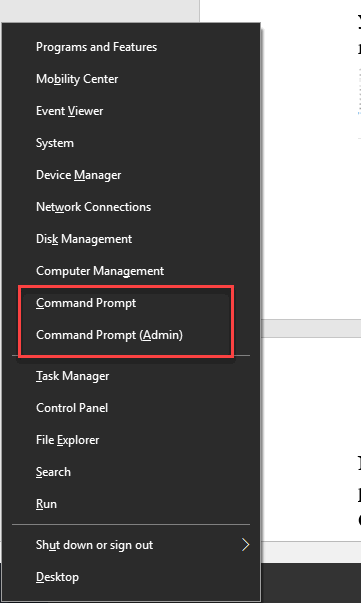
- Right-click Start (or press Windows + X) and choose Run.
- Search for Run in the Start menu.
- Open it from Task Manager via File > Run new task.
Use Run Effectively
1. Type a program name like notepad or a tool like devmgmt.msc.
2. Enter a folder path to open it directly in File Explorer.
3. Use the dropdown to reuse a recent command.
4. Press Ctrl + Shift + Enter to run as administrator where supported.
Tip: Type shell:startup in Run to jump straight to your Startup folder.
Troubleshooting
Problem: Windows + R does nothing.
Solution: A policy may disable Run; check the Group Policy setting or open it from the Windows + X menu.
Problem: A typed command is not found.
Solution: Confirm the spelling and that the program is on the system path, or enter its full path.
Problem: Run history is empty.
Solution: History may be cleared by privacy settings; it rebuilds as you use it.
Problem: You need elevated rights.
Solution: Press Ctrl + Shift + Enter to run the command as administrator.
Conclusion
The Run box is one of the fastest tools in Windows. Windows + R is all you usually need, but the alternatives keep you covered when a shortcut is unavailable.
About TechHub
This guide is part of the TechHub Knowledge Base. For more step-by-step IT guides and support, visit techhub.com.lk.